Role
Product designer, Flow Mapping , Use Case Definition ,UI Design, Stakeholder Communication, Branding Collaboration
Team
Product Manager, Product Designer, Branding & Design Systems Team, Engineering
Project Type
UX / Product Design · Flow Redesign & Gap Analysis
Timeline
November 2023- Jan 2023
Platflorm
iOS- Native Mobile App
Overview
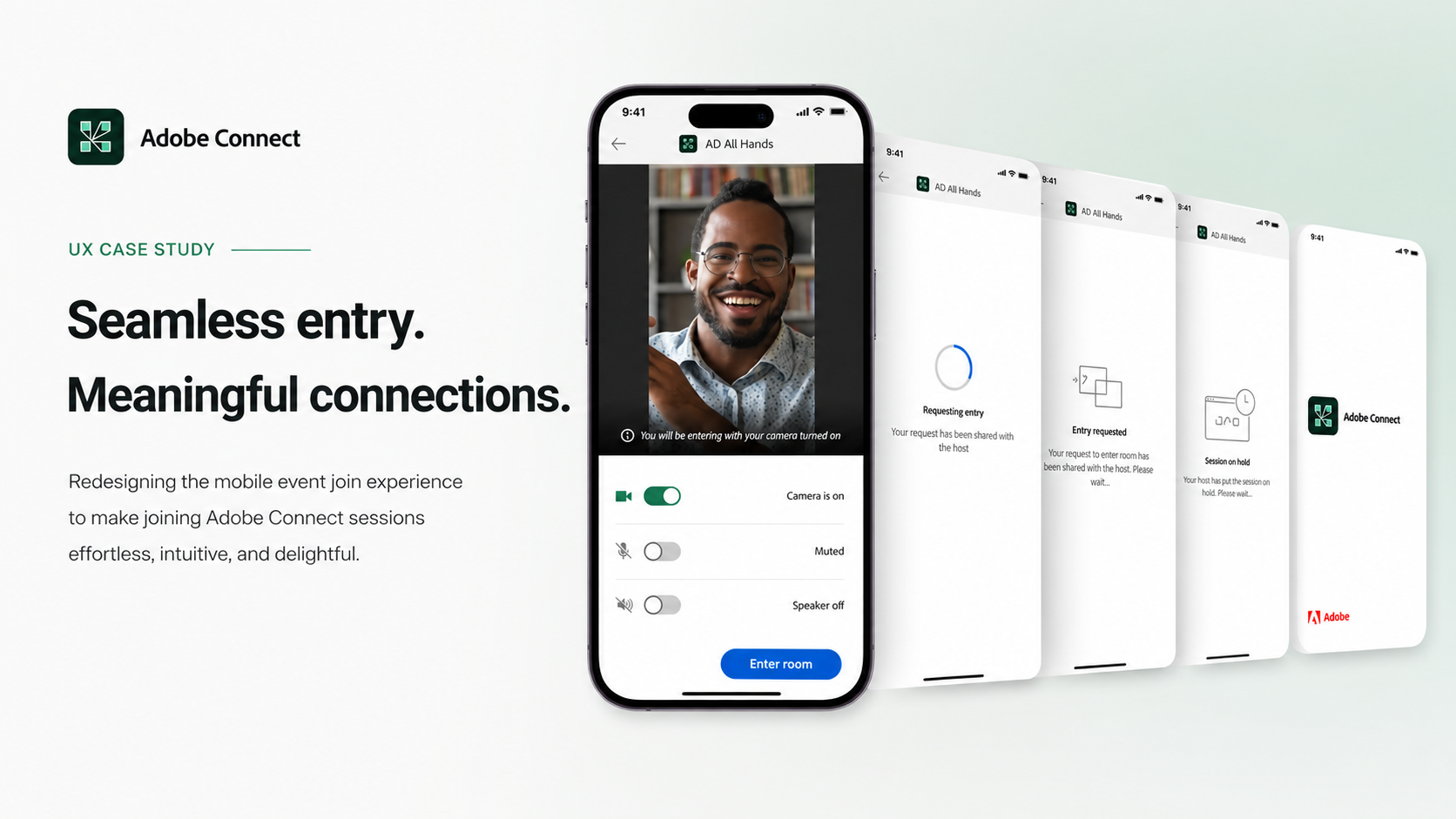
When users join an Adobe Connect meeting from mobile, the current experience involves multiple decision points and steps that create friction for both hosts and participants. Browser-based joining, while available, delivers a broken and inconsistent experience on mobile. This case study focuses on reducing the number of steps in the join flow and steering users toward the native app as the primary join path, resulting in a faster, more reliable, and seamless meeting entry experience for all participants.
The Design Problem
The problem wasn't surfaced through user research. It was identified by the Product Manager, who noticed that mobile app usage was significantly lower than expected, despite the app being available on iOS. Users were consistently ending up in the browser-based join experience, which was broken and unreliable on mobile.
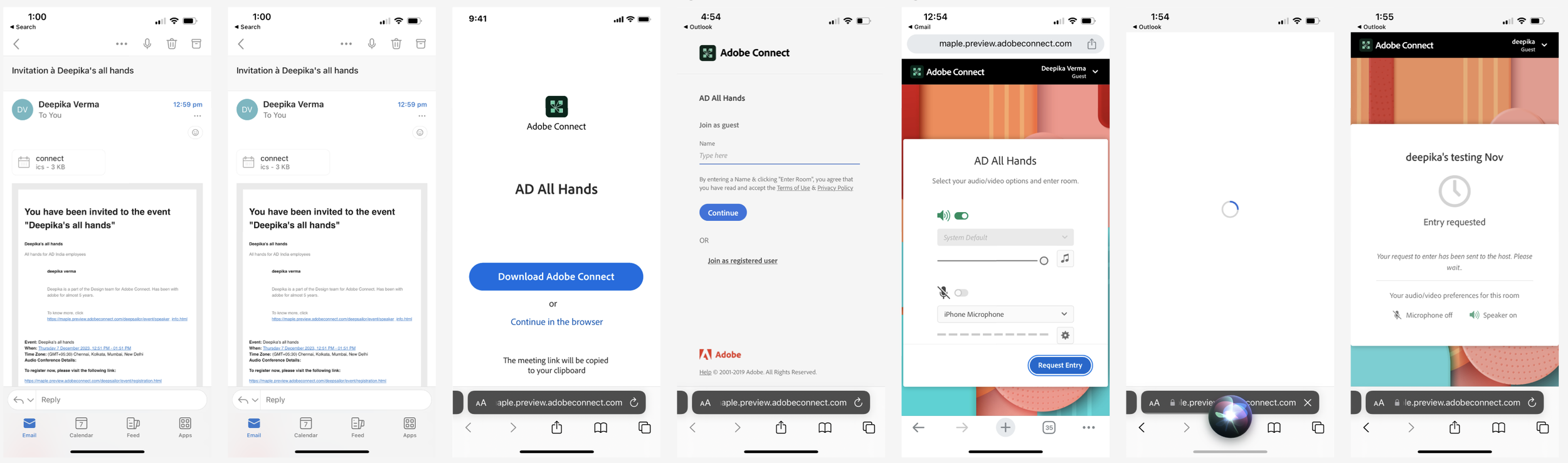
The browser detour wasn't just an inconvenience. It was a compounding failure: a multi-step flow that forced users to choose a browser, enter their name as a guest, navigate a degraded browser viewport, and potentially restart via the app, all before they could attend a meeting.
Mobile app usage was low, but not by choice
Insight
The problem was not surfaced through user research; it was identified by the Product Manager, who noticed that mobile app usage was significantly lower than expected. The PM observed that despite the app being available, users were consistently ending up in the browser-based join experience, which was broken and unreliable on mobile.
"If we fix the mobile joining flow and reduce the steps it takes to get into a meeting via the app, more users will adopt and stick to the native app, improving both engagement and experience quality."

Siddharth Khadiya, PMWhat this means for the Design Process
Because the problem came top-down from the PM rather than bottom-up from user research, the team's discovery phase focused on:
Validating the PM's hypothesis - confirming through the current flow audit that the browser detour was indeed the primary cause of low app usage
Mapping where users were dropping off - identifying the exact steps (browser selector, guest name entry, install prompt) causing abandonment
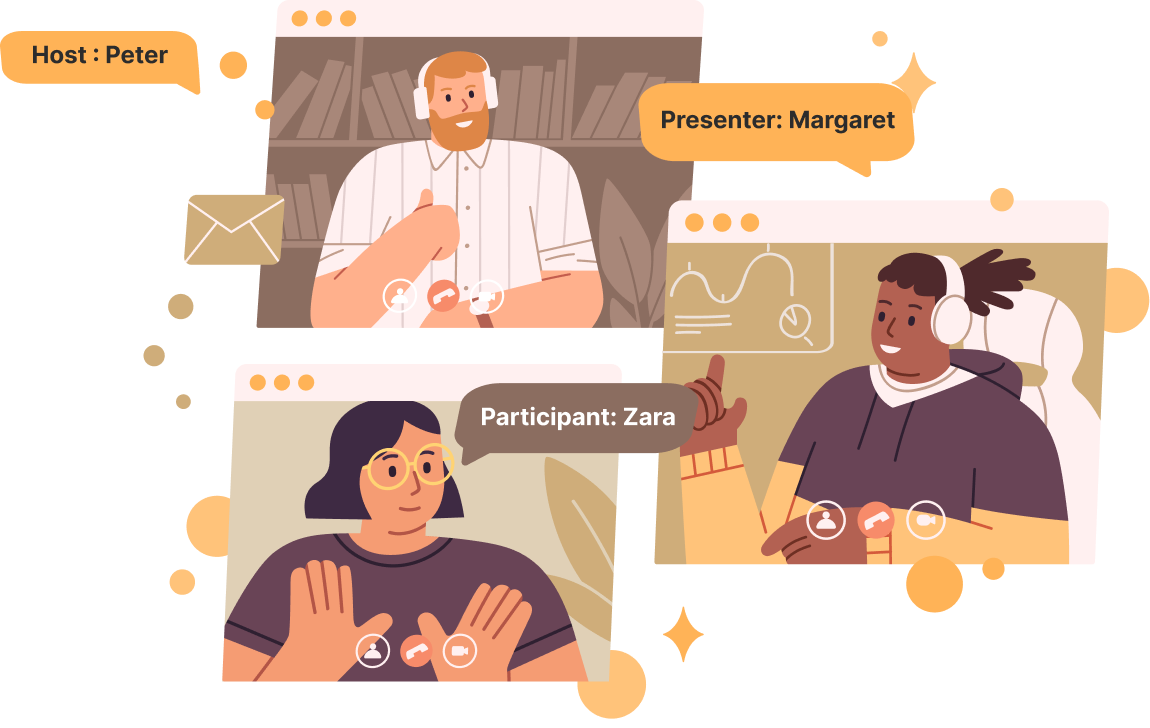
Building the personas (Peter, Margaret, Zara) - to give human context to what was essentially a funnel and engagement problem
Competitive benchmarking against Zoom - to show stakeholders what a frictionless join experience looks like and set a design target
Defining success metrics - app open rate from meeting links, reduction in browser sessions, App Store rating improvement, to give the PM measurable outcomes to track post-launch
In short, the discovery phase was about taking a business and product metric problem, low app usage, and translating it into a human experience problem. The joining flow is broken, so the design team had a clear, empathy-grounded brief to work from.
Target Audience
Three verticals: Education, Enterprise, Government
Three personas directly mapped to meeting roles:
Peter (Host) - sets up meetings, needs scheduling and calendar integration on mobile
Margaret (Presenter) - joins via link, needs persistent sign-in and clear in-room guidance
Zara (Participant) — most friction-prone, needs one-tap join comparable to Zoom
Each persona has a distinct relationship with the join flow and a distinct point of failure
Adobe Connect - User Journey Map
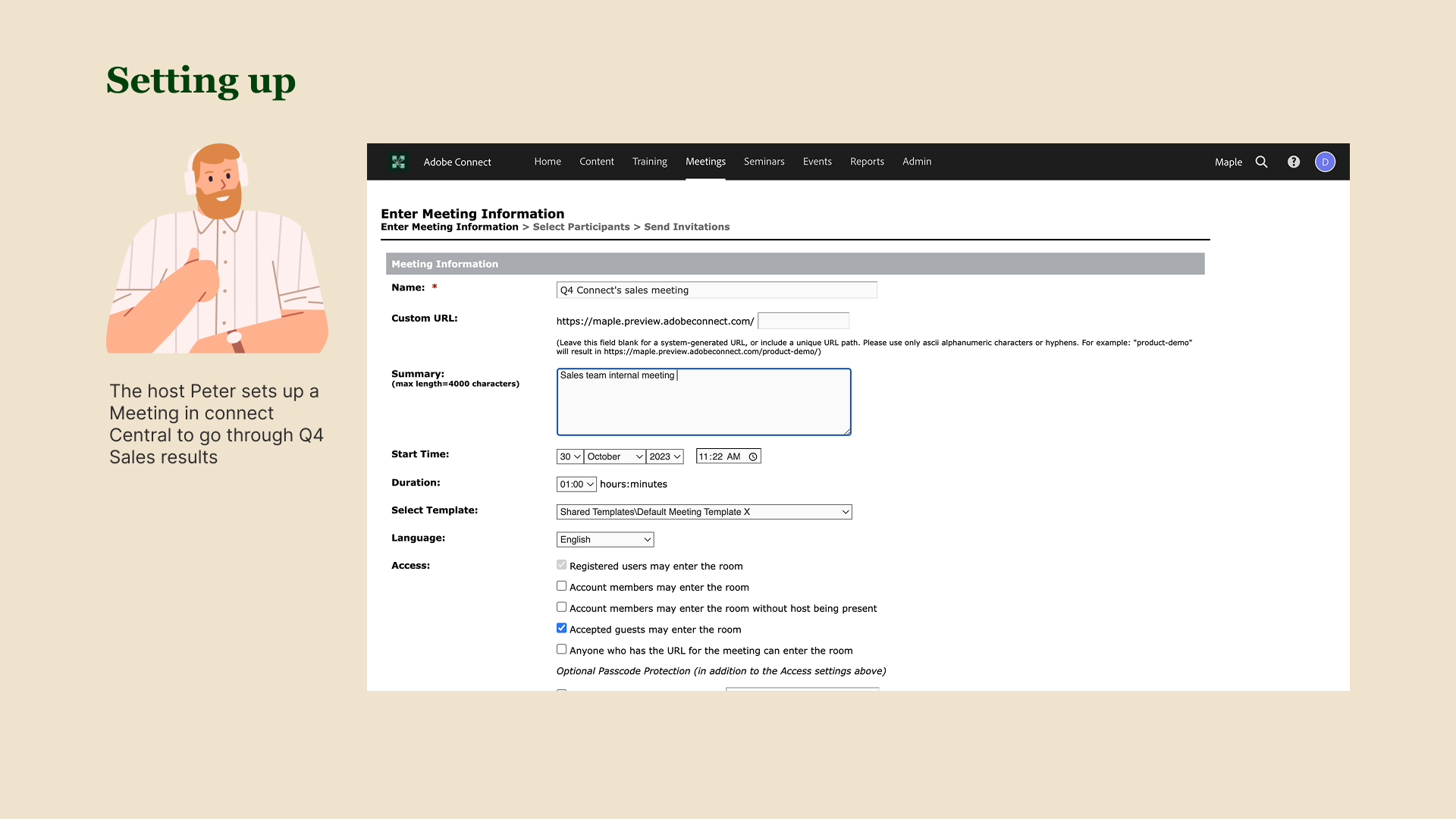
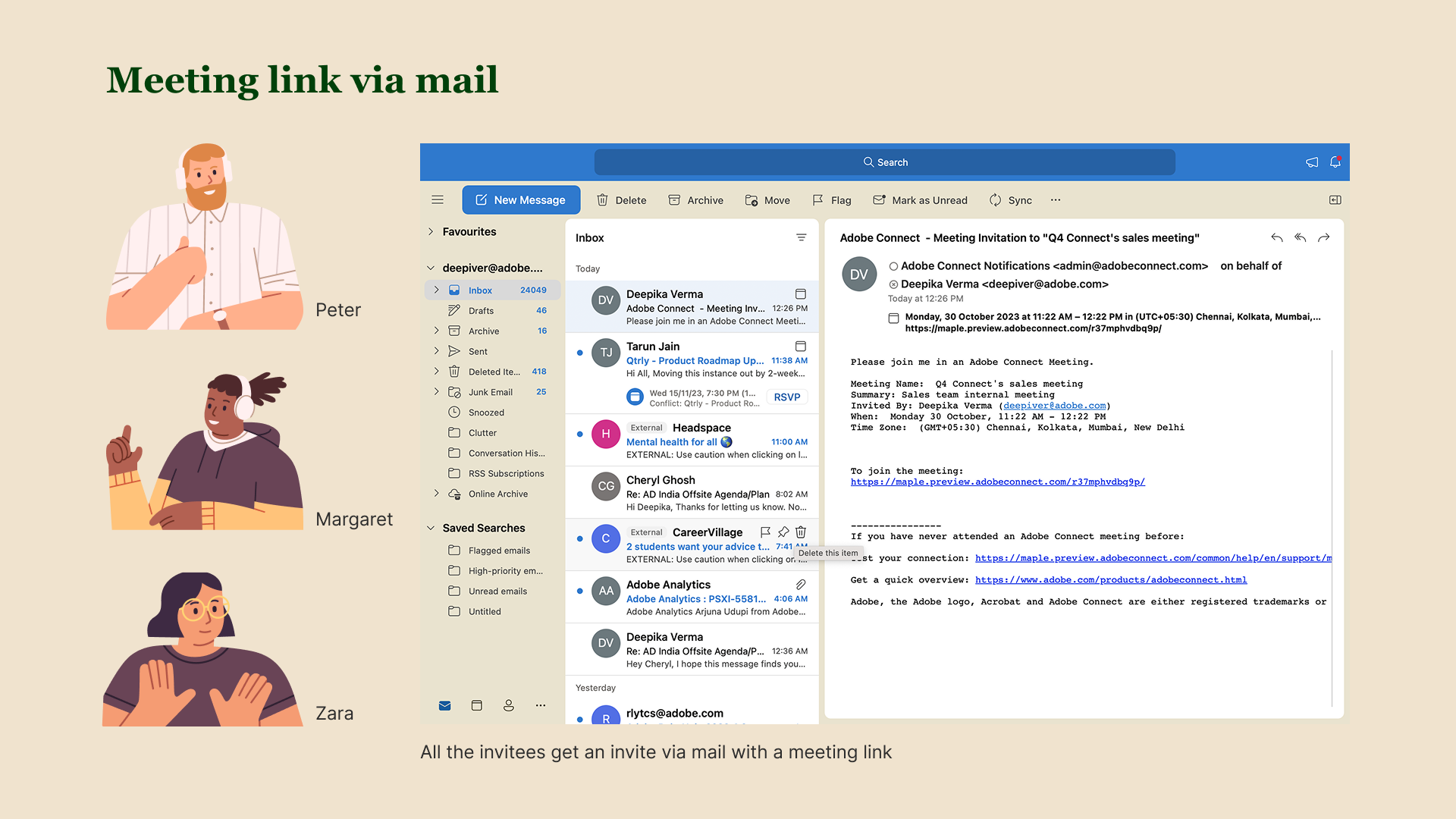
Flow: Meeting Setup → Invitation Received → Joining via Shared Link
The host creates a meeting
Invitees receive the meeting link
Users join via a mobile shared link
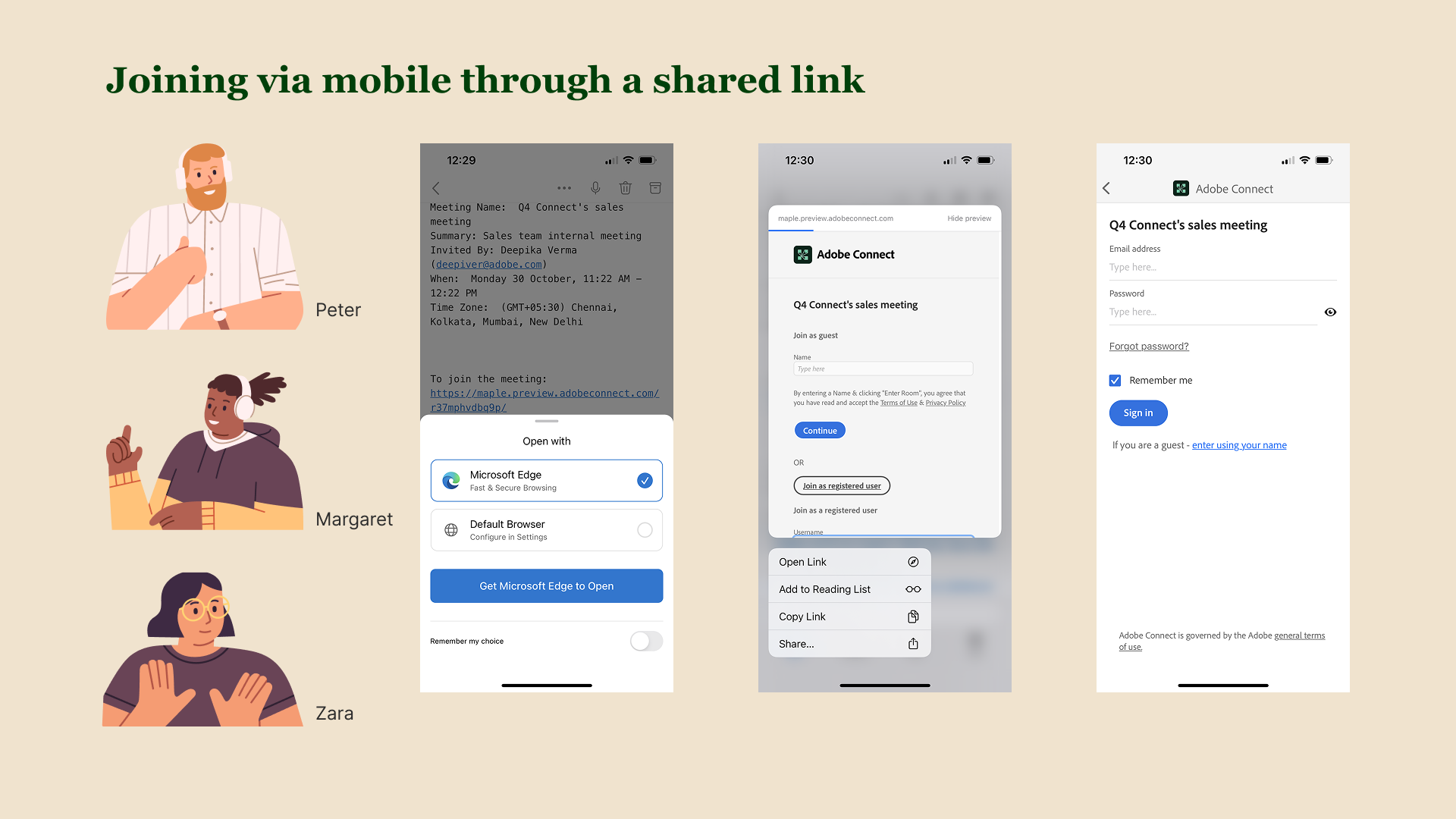
The workflow
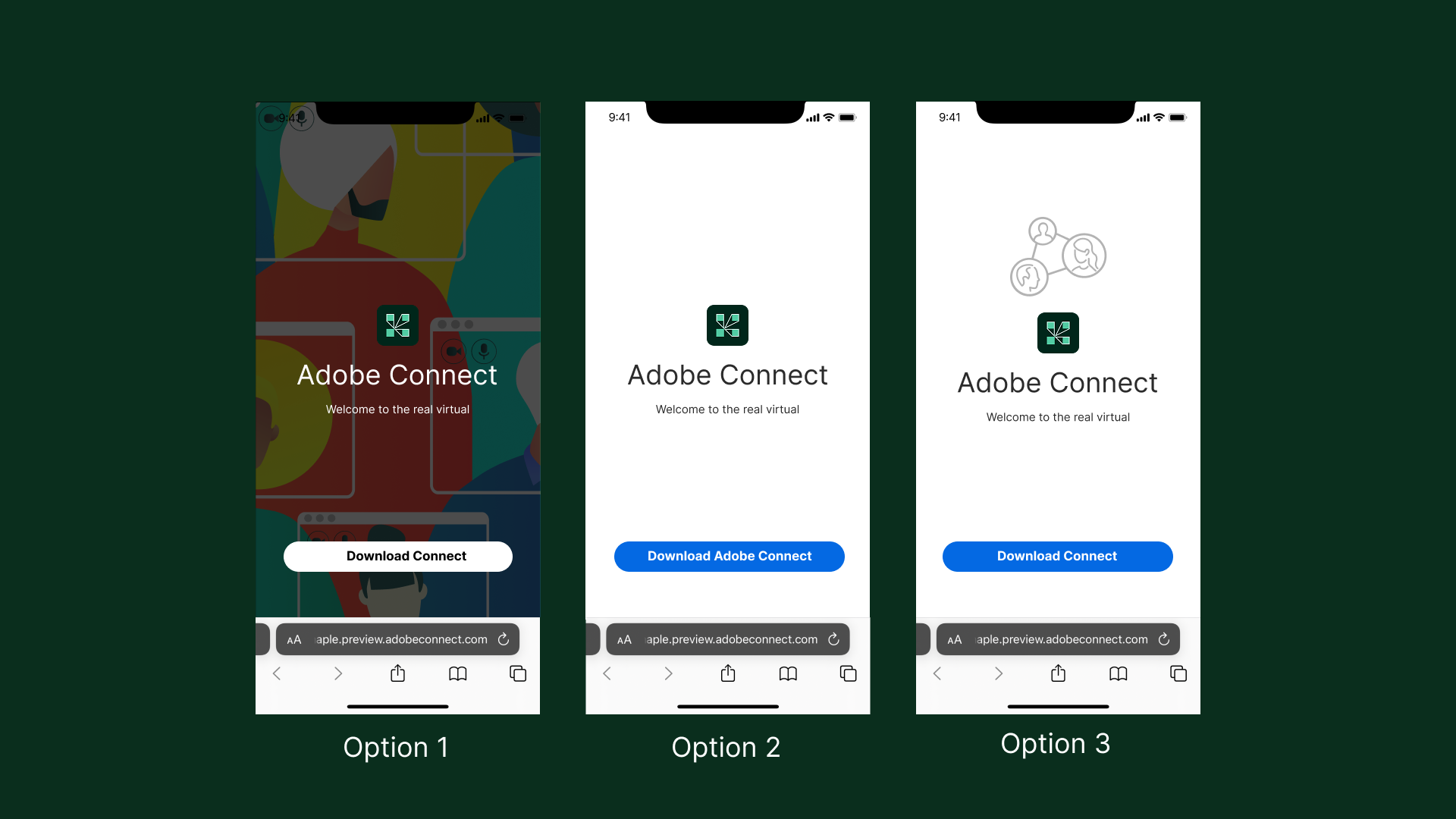
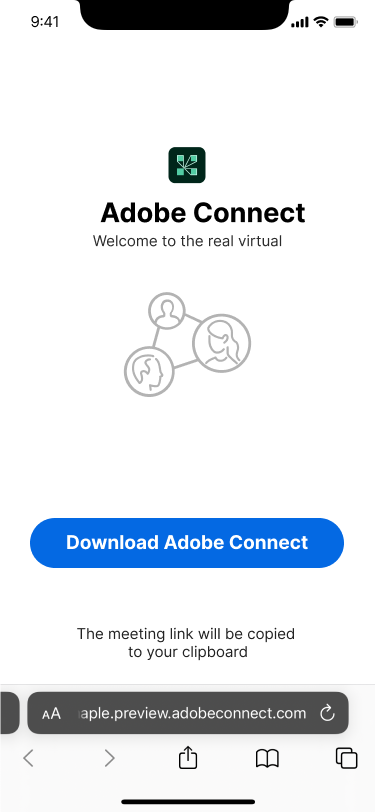
Initial Explorations for Browser page
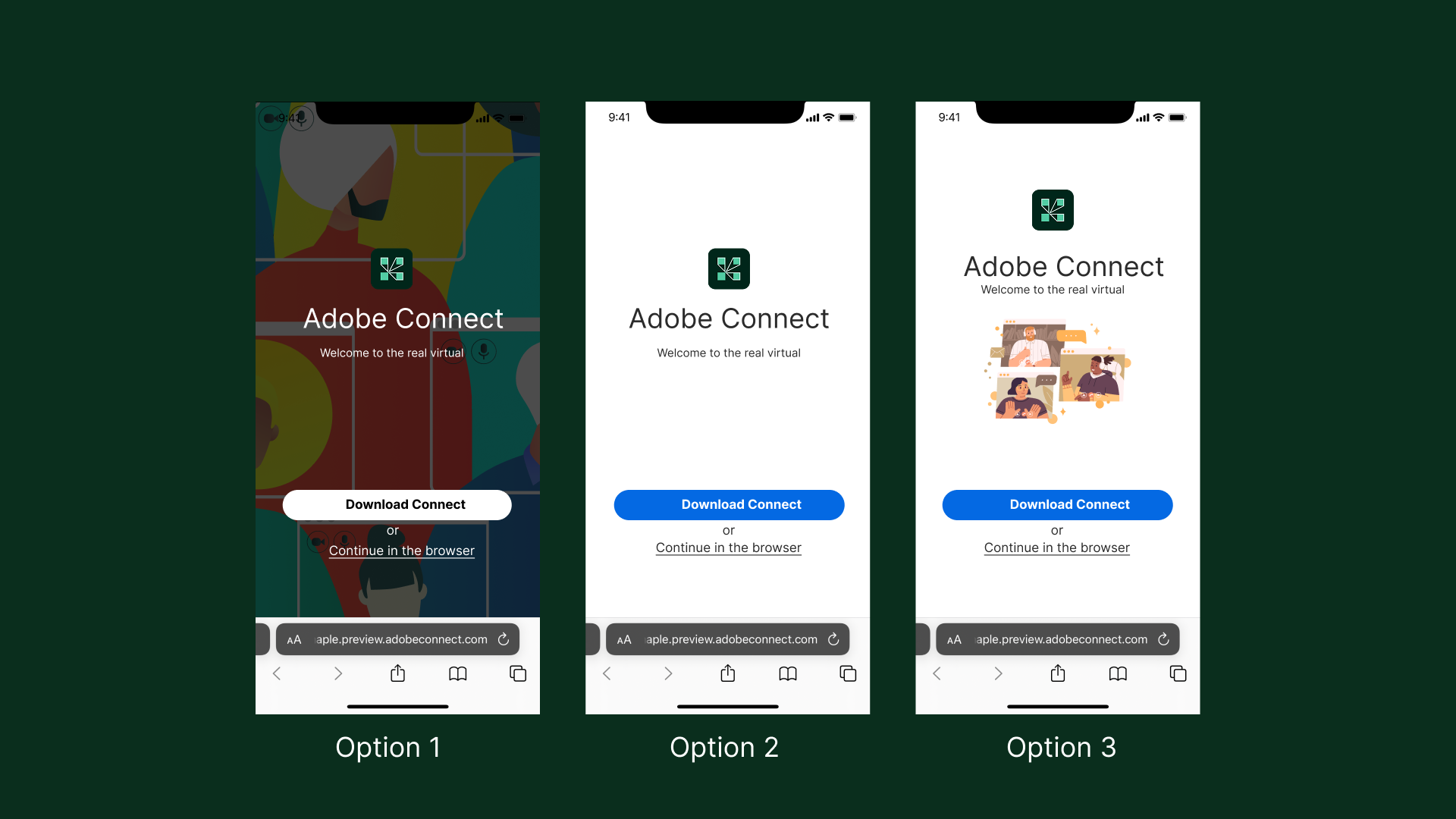
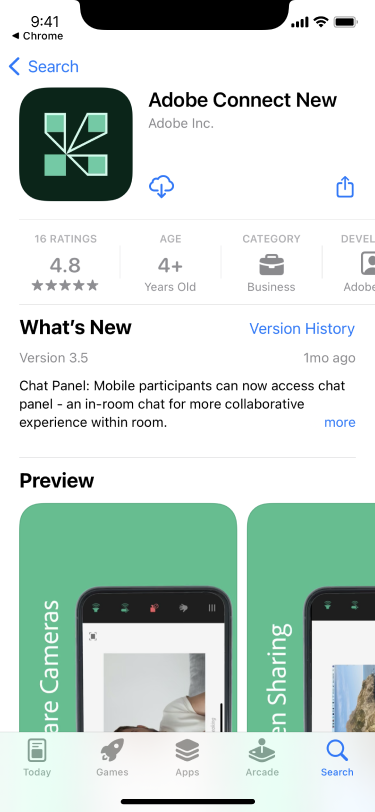
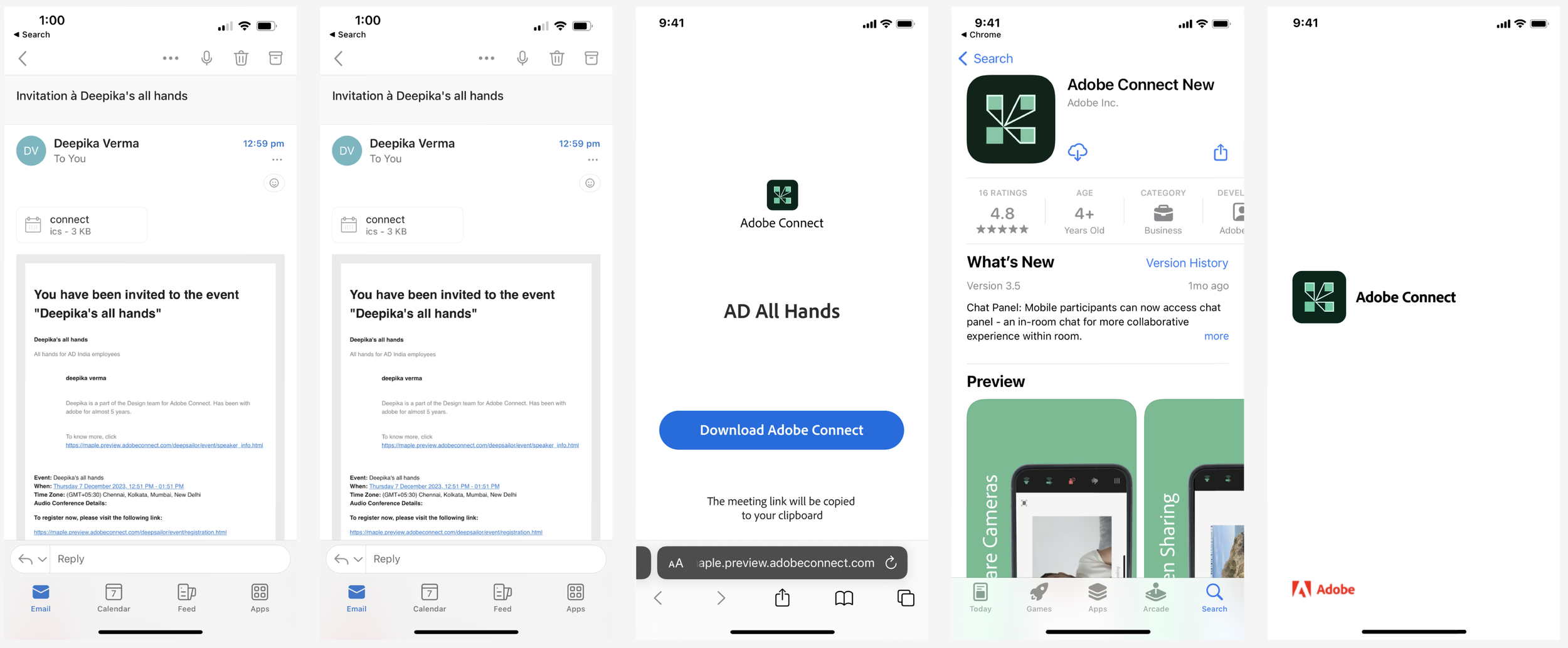
Initial explorations for FTU with ‘Force Install’ enabled by the admin

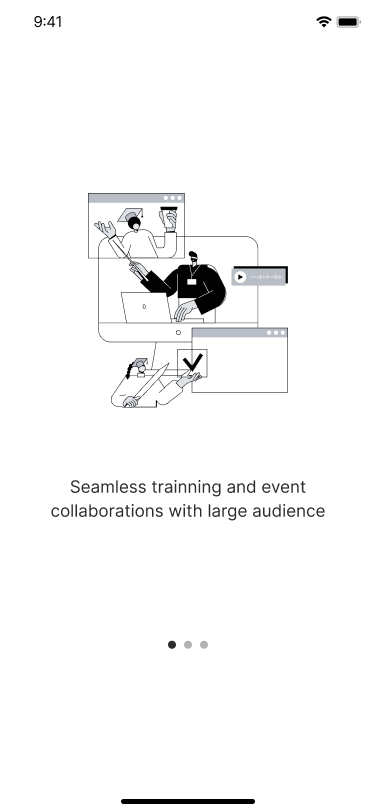
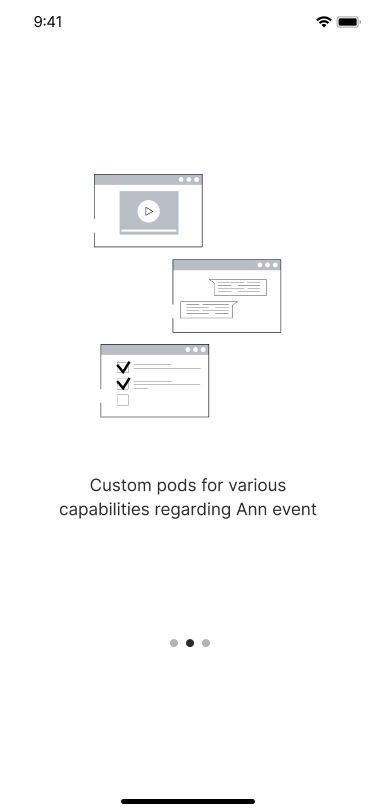
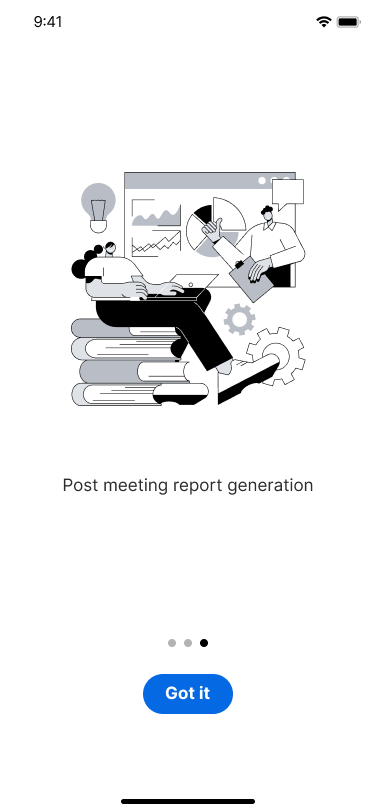
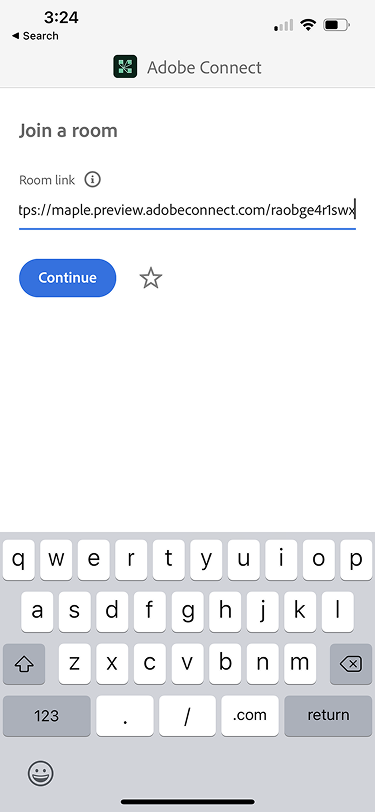
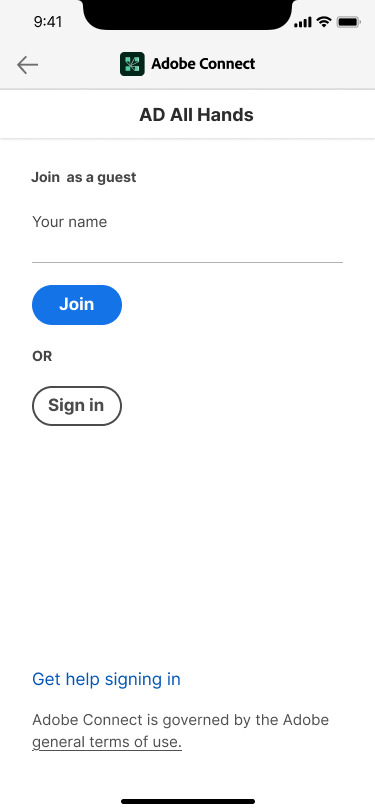
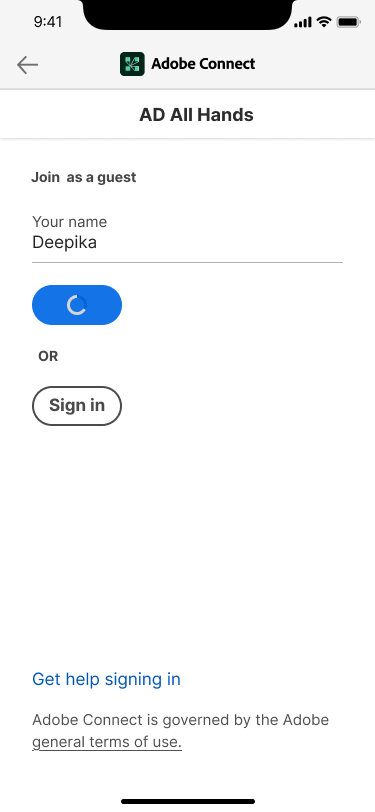
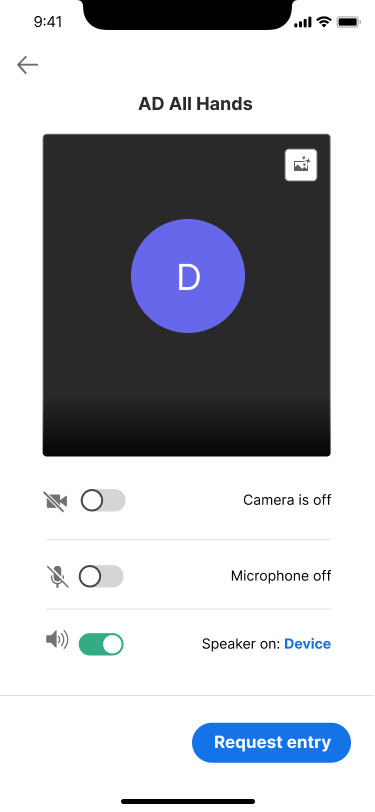
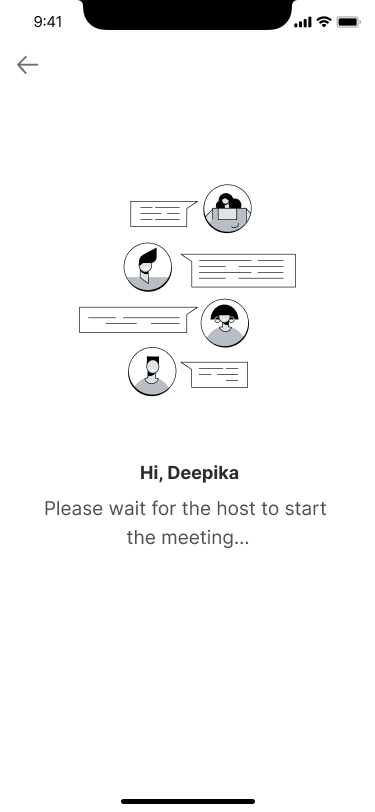
Use cases
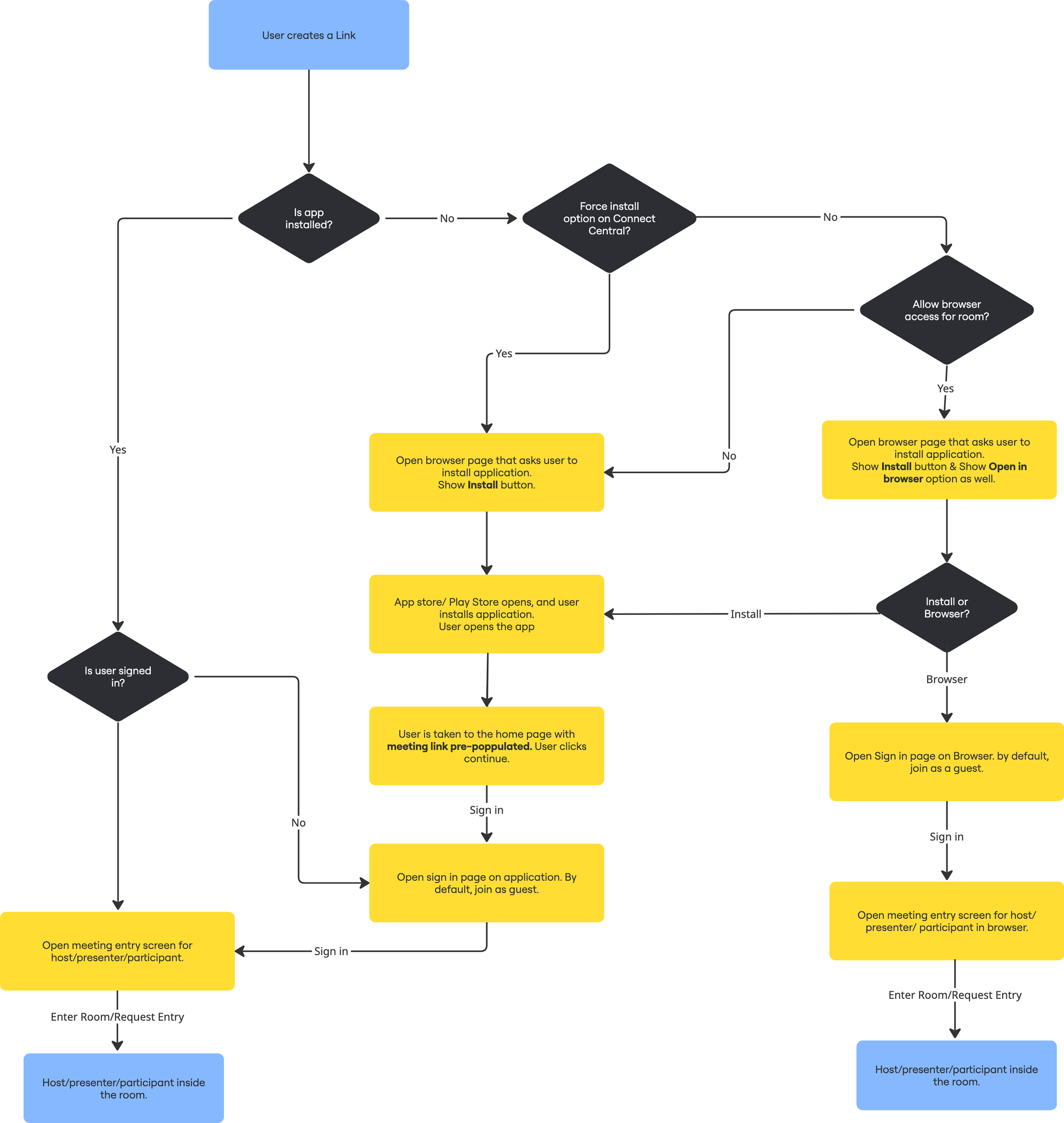
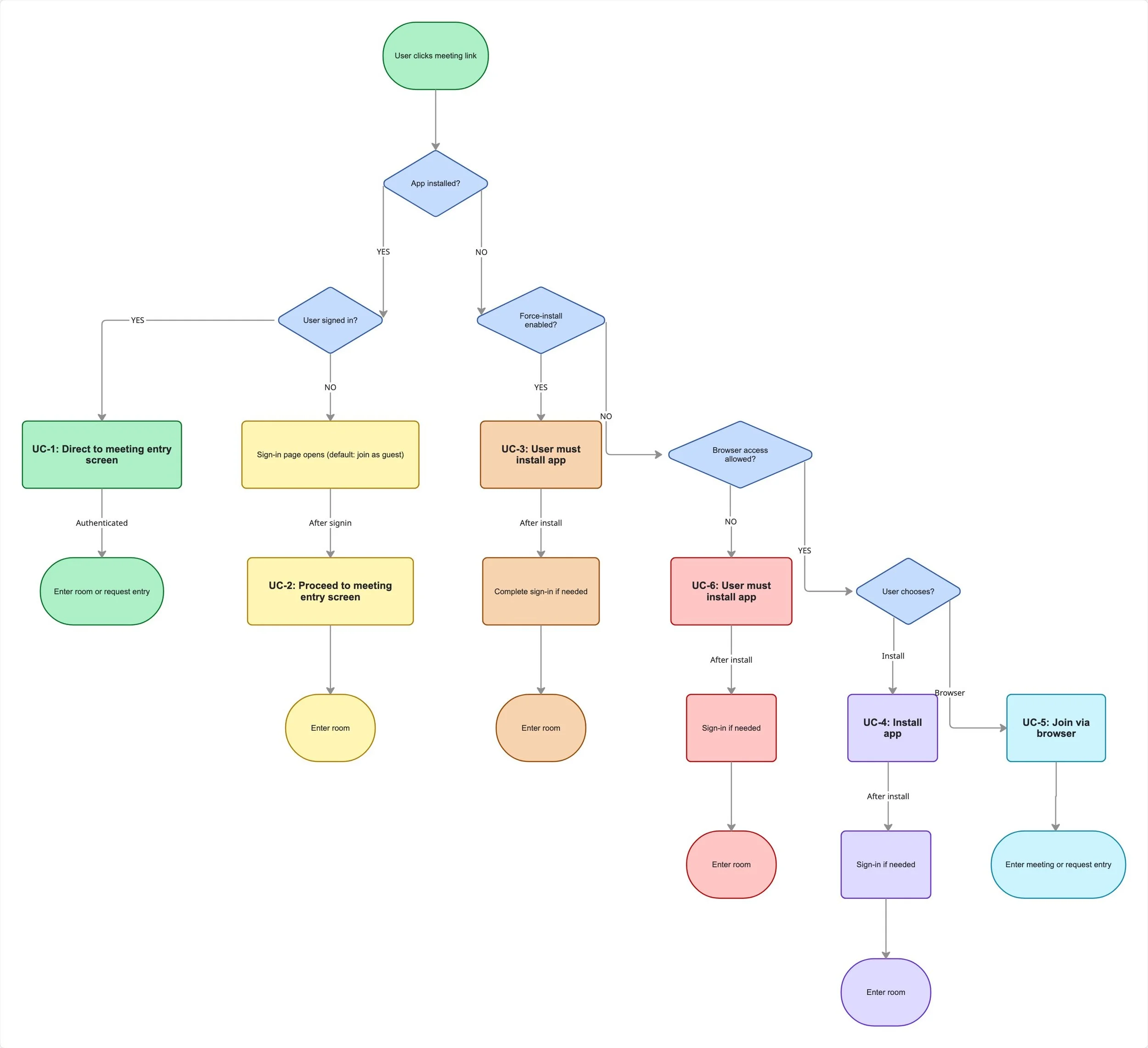
Before jumping into solutions, the entire join flow was mapped into six distinct scenarios — covering every path a user could take from tapping the link to entering the room. This ensured no edge case was missed and gave the team a shared, structured view of where friction lived.
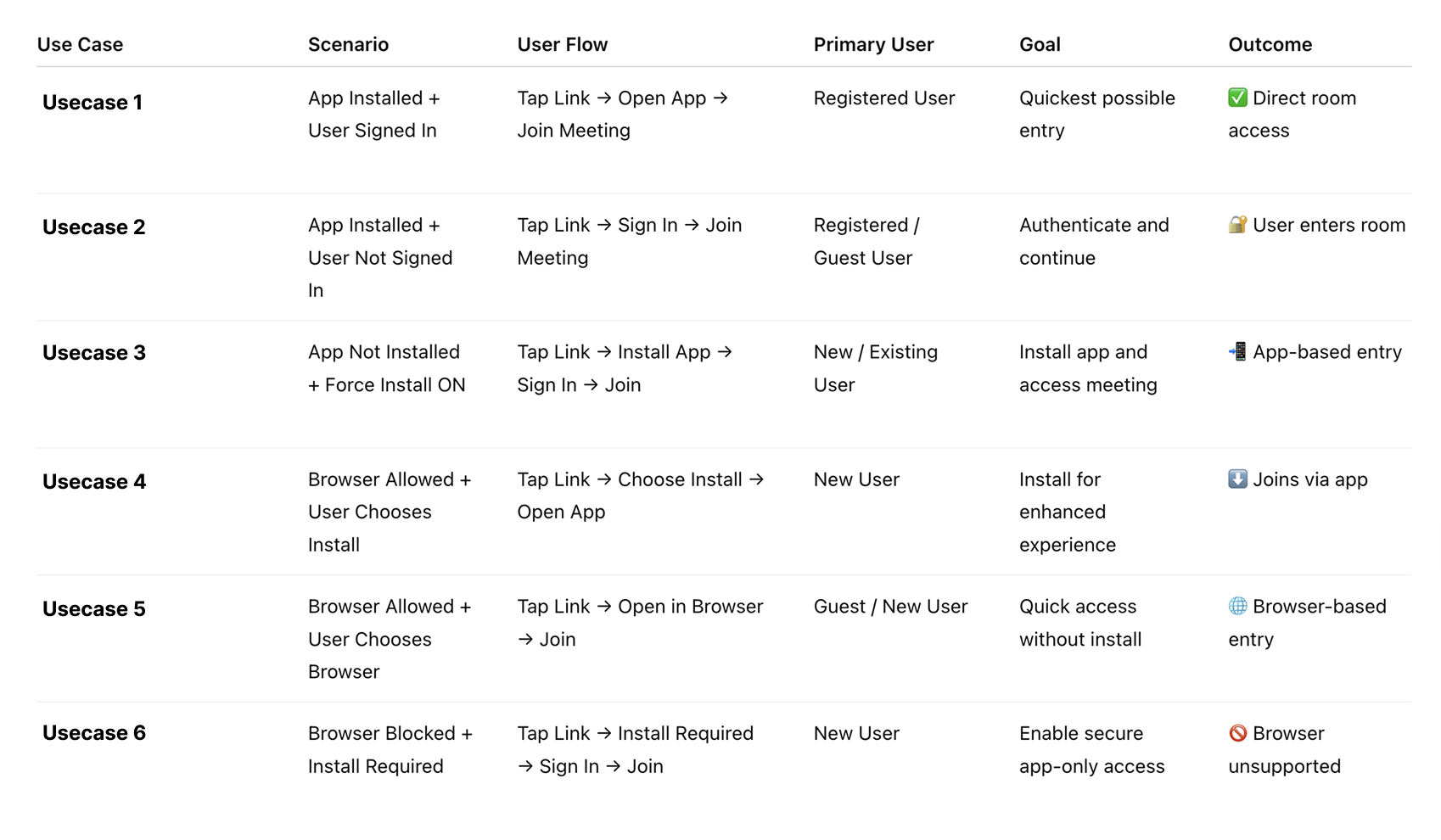
Use cases mapped to the User Flow
Before jumping into solutions, the entire join flow was mapped into six distinct scenarios — covering every path a user could take from tapping the link to entering the room. This ensured no edge case was missed and gave the team a shared, structured view of where friction lived.
Competitor Analysis- Joining Workflows
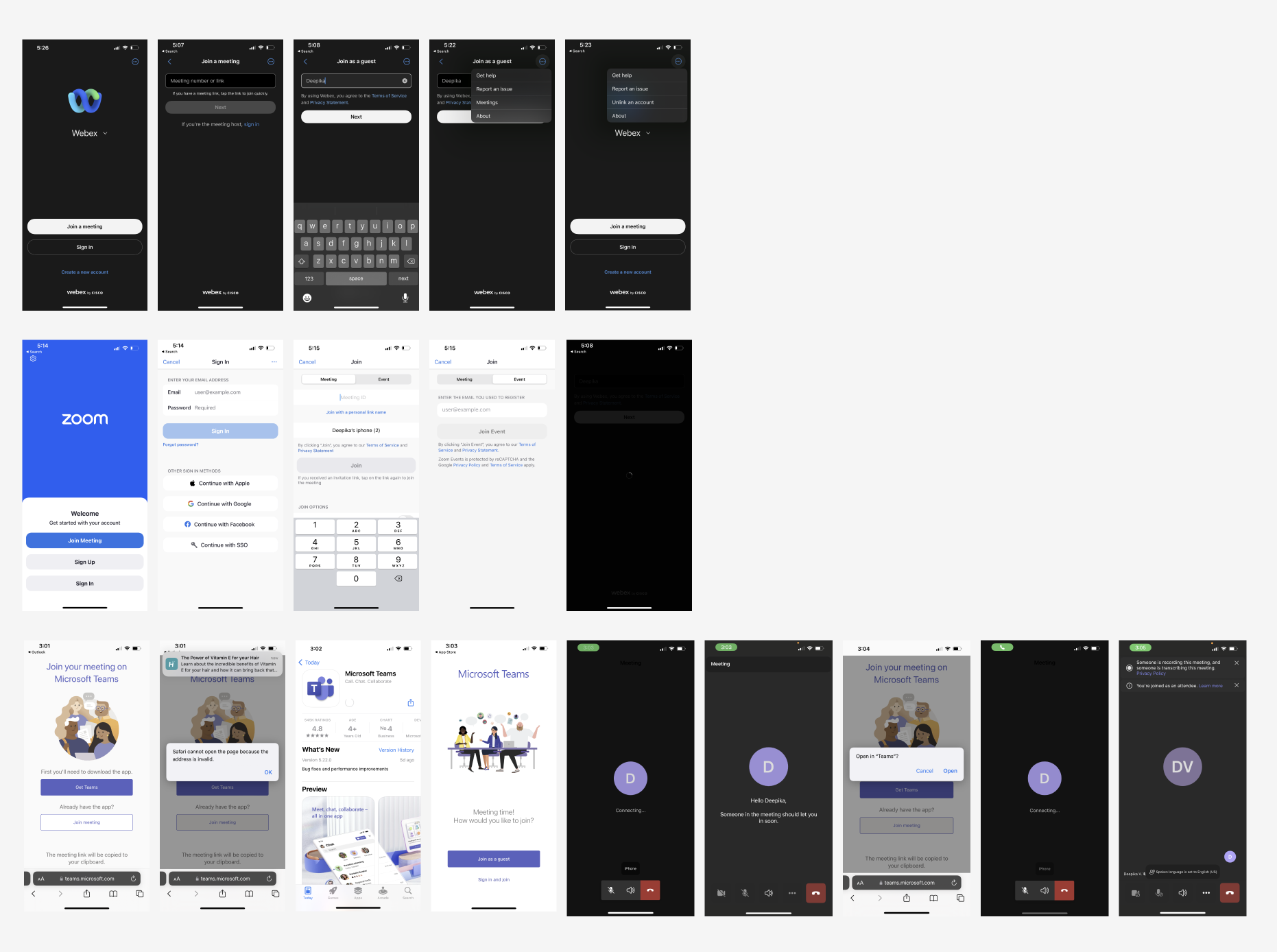
Webex
Direct app launch - no browser detour
Guests join needs only a meeting link and name
The entire flow stays within the native app
Zoom
Clean home screen with "Join Meeting" as primary CTA
Multiple sign-in options reduce credential friction
Accepts personal link name as alternative to meeting ID
Microsoft Teams
Deep-linking works, OS routes link directly to the app
Lobby model, no name entry, host admits the user
Browser fallback available when the app is not installed
Key gap - Adobe Connect
Only product that defaults to browser on mobile
No deep-linking, no lobby model, name entry required for guests
Major Usecases

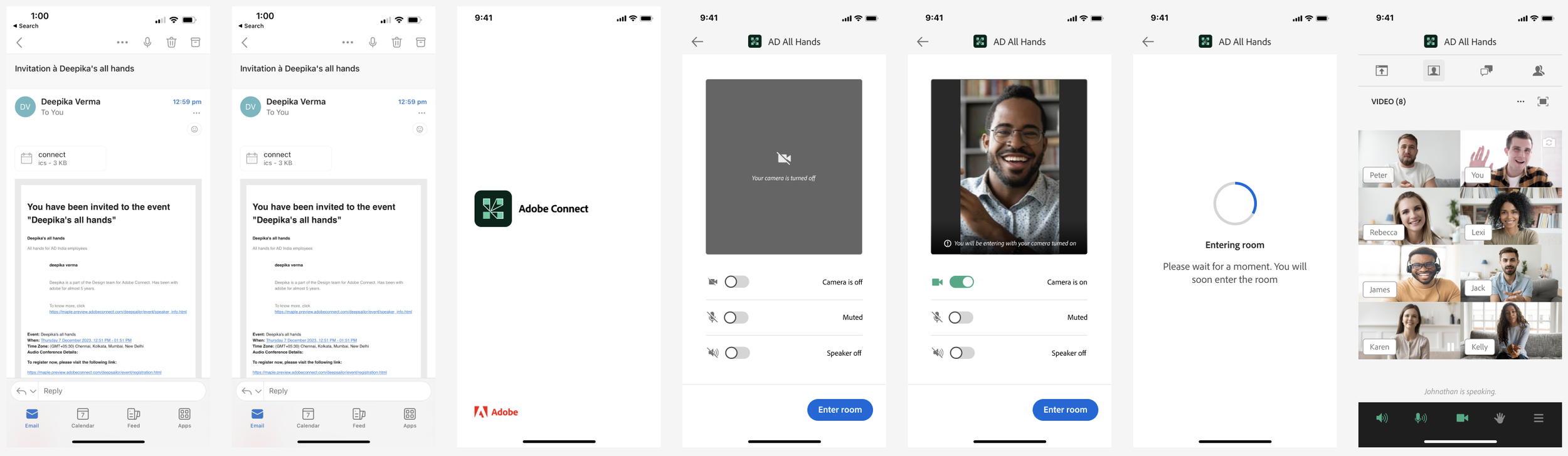
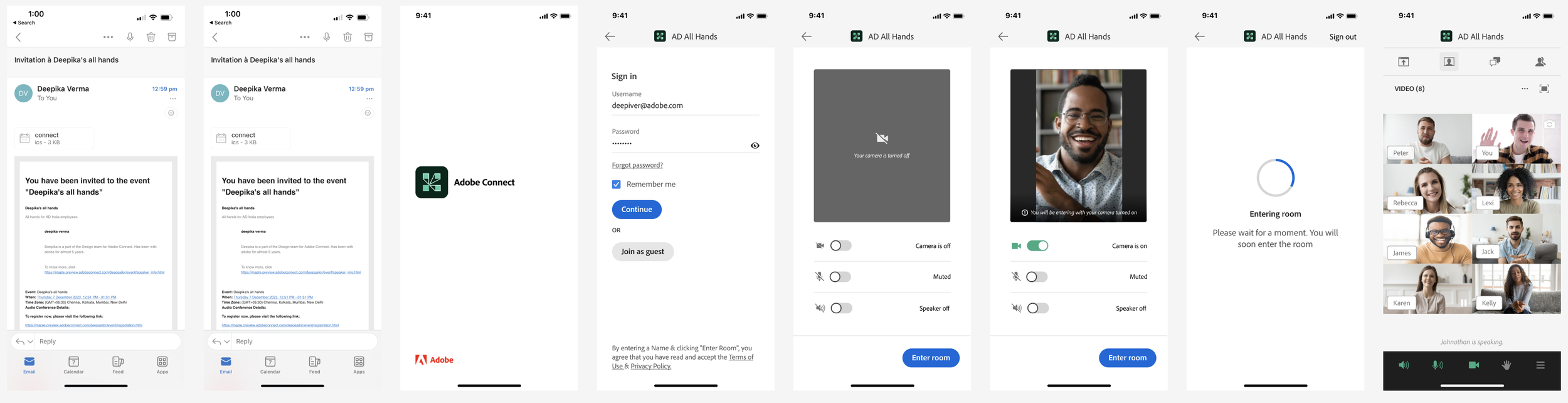


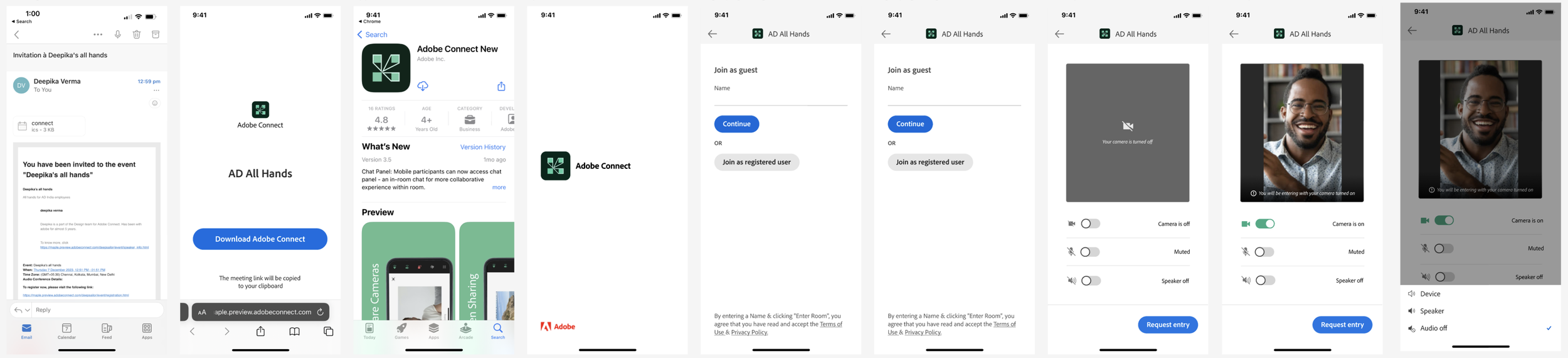




Missing Use cases after signing in
After mapping the end-to-end join flow and identifying where users were left without feedback or context, the team worked with the centralised branding team to design a set of missing in-app states. These screens ensure that users always feel informed, reassured, and never stranded — regardless of what happens after they tap the join link.
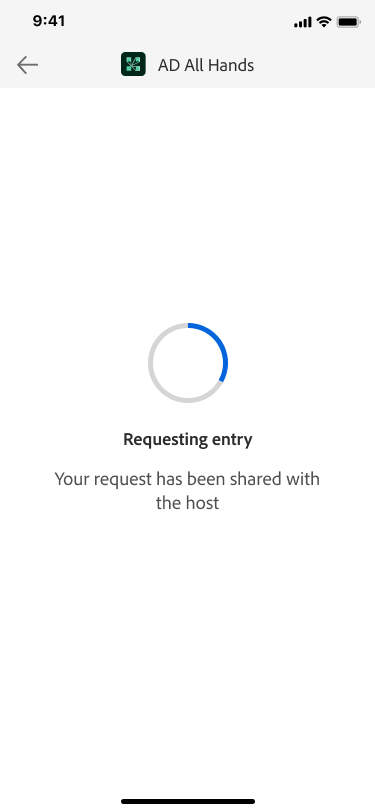
Requesting Entry
Reassures the user their request is in motion so they don't tap again or abandon.
1.
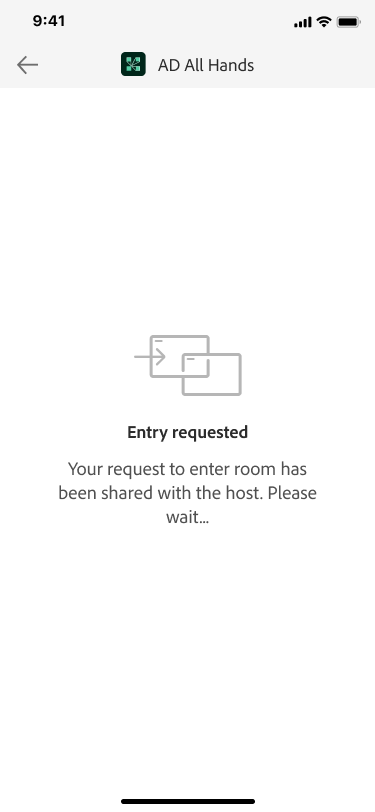
Entry Requested - Awaiting Host
Keeps the user anchored in a clear holding state while the host reviews their request.
2.
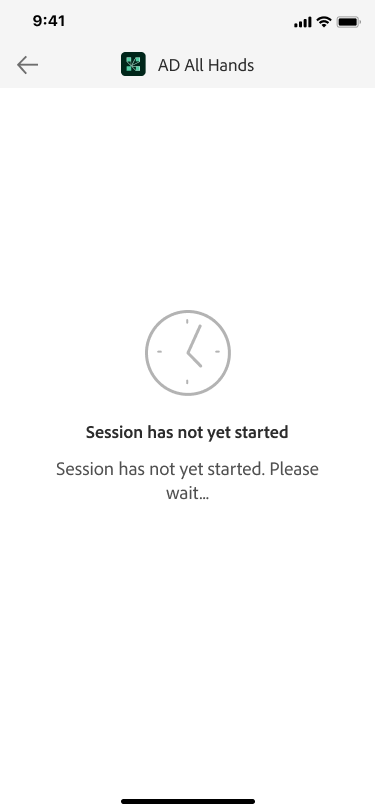
Session Has Not Yet Started
Tells the user they are in the right place but early, preventing confusion with a broken state.
3.
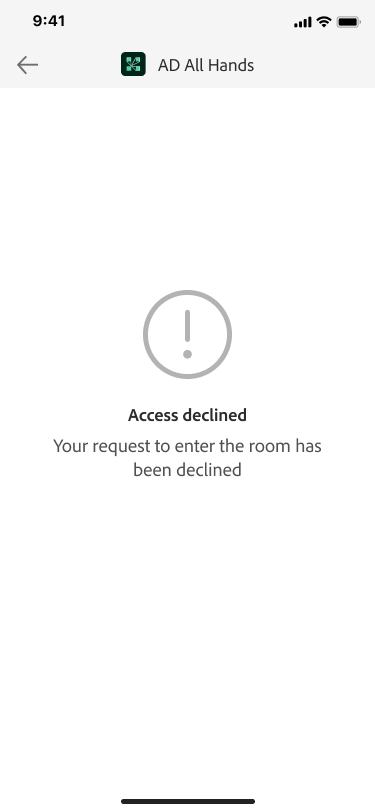
Access Declined
Gives the user a definitive answer instead of leaving them in an indefinite waiting loop.
4.
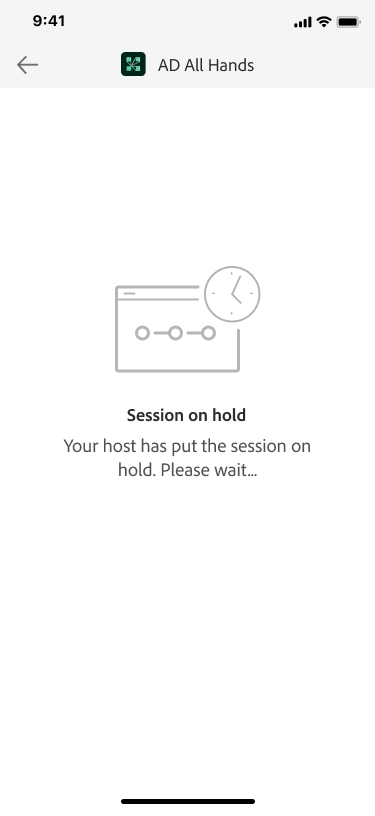
Session on Hold
Fills a previously missing state so users know the meeting is paused, not ended or crashed.
5.
Why This Matters for the Case Study
These five screens shift the experience from one that only communicated success to one that communicates every state. Designed in collaboration with the branding team, they fill the highest friction zone in the join flow while maintaining full visual consistency with the Adobe Connect design system.
Reflections
1. From Business Metric to Human Problem
This project started from a product metric, low mobile app usage, not user research. It pushed me to work backwards and ask not just "what is broken" but "why are people not using this?" That shift in framing revealed that the join flow was the real barrier, not the app itself, and changed everything about how we approached the solution.
2. The Power of Systematic Mapping
Mapping the joining workflow into six distinct use cases gave the team a shared, structured view of every path a user could take, including dead ends. Without it, we would have only solved the happy path and missed edge cases like Usecase 6. The flowchart also became a powerful stakeholder communication tool, making the complexity of the problem visible in a way words alone could not.
3. Designing for the Gaps, Not Just the Flow
The five missing entry states were not part of the original brief; they emerged through identifying moments where users lacked feedback. This reinforced that impactful design often exists in the gaps between interactions. Collaborating with the branding team on these states also highlighted that empty states are not secondary elements, but integral to building user trust and product experience.
4. What I Would Do Differently
Because the problem was PM-initiated, discovery relied heavily on heuristic analysis and benchmarking rather than user interviews. I would push earlier for qualitative research, especially with first-time mobile joiners, whose voice would have added depth to the persona work and given stronger evidence for key design decisions.