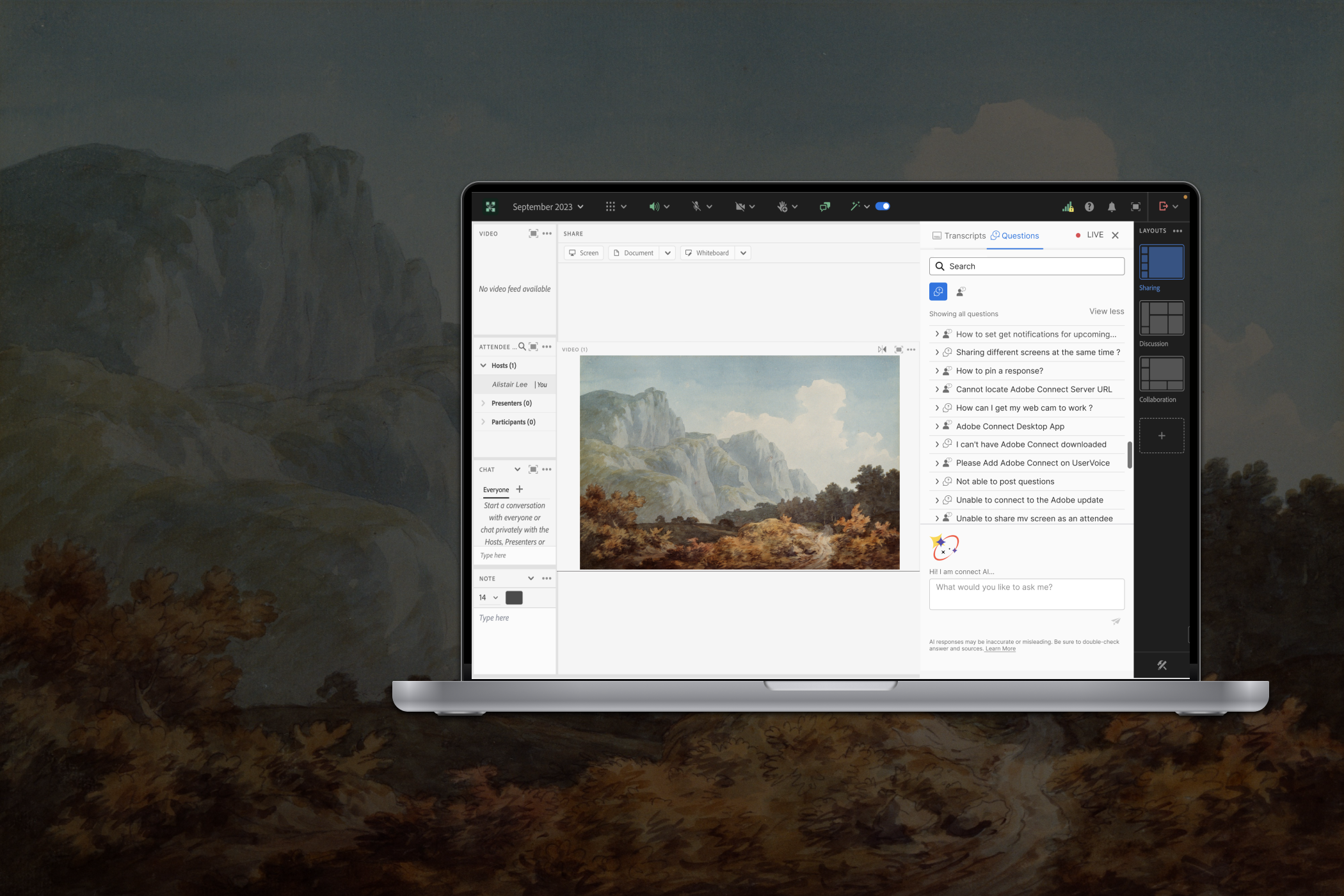
An AI-powered assistant for live and on-demand webinar sessions, built to reduce cognitive load, not add to it.
Designing Clarity Within Complexity
〰️
Designing Clarity Within Complexity 〰️
Role
User Research, Interaction, Visual design, Prototyping & Testing
Platform
Desktop Web
Team
UX, PM, Engineering, AI/ML
Timeline
5 weeks POC
What is Adobe Connect?
Adobe Connect is a web conferencing and virtual learning platform focused on interactive collaboration, virtual classrooms, and enterprise training. Unlike traditional video meeting tools, it uses customizable “Pods” and persistent meeting spaces to support structured, engagement-driven experiences.
The Problem
Adobe Connect hosts rich, structured virtual events but accessing the knowledge inside them was broken. Users scrubbed through hours of recordings, skimmed walls of transcript text, and gave up before finding the moment they were looking for.
My Role
I led the end-to-end UX design of the AI Assistant for Adobe Connect. The key outcome was shifting the product direction from proactive AI automation toward a more user-controlled AI experience, giving engineering a clearer and lower-risk direction to build.
Users didn’t need another chatbot. They needed a faster path to understanding.
Research
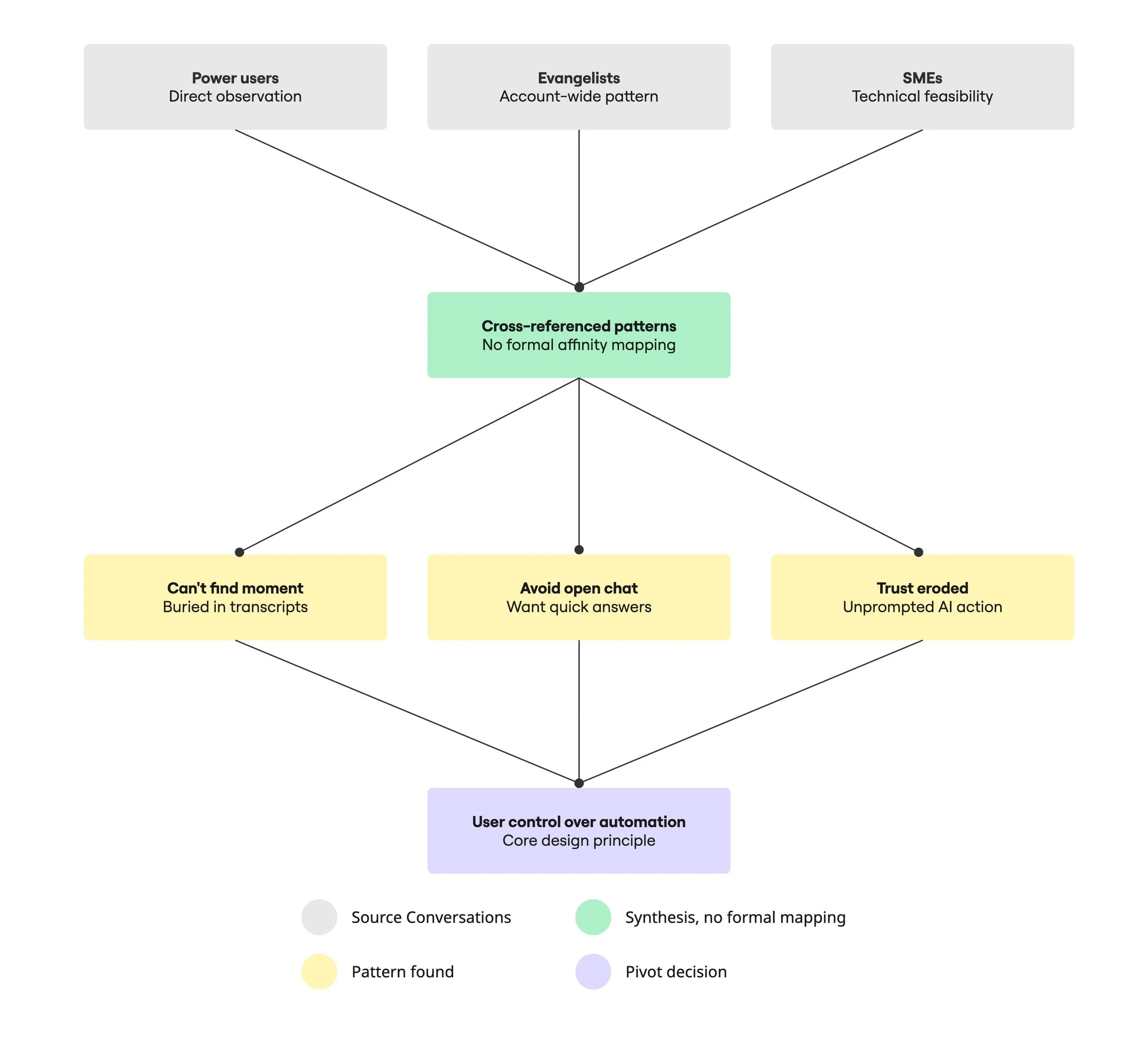
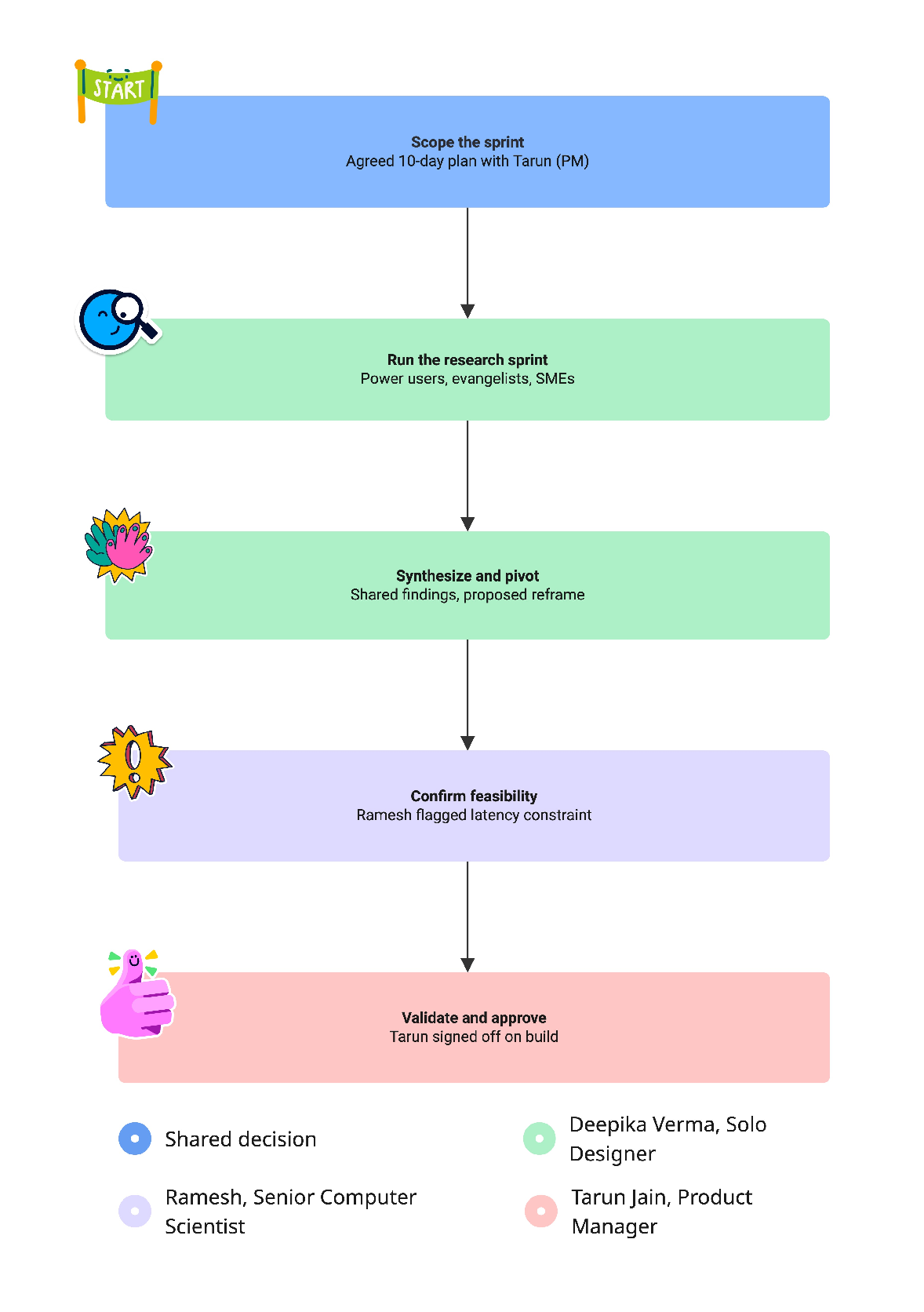
We started from an assumption: build a proactive AI that auto-summarises and surfaces content on its own. Before committing engineering time to that direction, Tarun (PM) and I agreed it needed fast validation rather than a longer formal study. Lightweight, targeted research, not a scripted study. I ran in-depth conversations with key stakeholders (PMs and engineers), two contextual inquiry sessions observing real usage, and informal sessions with 2–3 subject matter experts. No discussion guide; this was exploratory, not formal.
This was a design-and-engineering-driven initiative to build internal buy-in; we needed direction fast, not a multi-week research study. Given the constraints, in-depth conversations with the people closest to the problem gave us enough signal to move, without over-investing before we had validation that the direction was worth it.
I didn't run formal affinity mapping; I looked across the conversations for recurring behavioural patterns. Three things kept coming up: people could open content fine but struggled to find the specific moment they needed; nobody wanted an open conversation with AI; they wanted quick confirmation; and trust dropped when AI tried to do too much unprompted. Those patterns are what shaped the pivot toward a bounded, user-triggered interaction instead of a proactive assistant.
The root cause
The root cause was cognitive friction creating emotional stress. Users didn't feel in control of the tool, and that loss of control eroded trust in the product itself, not just the AI feature.
The Pivot
Our first instinct was a more proactive AI: summarising and surfacing content automatically as sessions happened. But conversations with stakeholders and what I observed in contextual inquiry pointed to a different problem: users wanted control, not automation. Especially live, an AI acting without being asked risked eroding trust rather than building it.
Reframe
The friction wasn't about the AI's capability; it was the absence of user agency. Live vs. on-demand stopped being a technical toggle and became the core design principle: a tool you reach for, not one that acts on you.
Ideation
Principles That Guided My Thinking
Cognitive relief over feature depth - Reduce mental effort before adding intelligence.
Structure over conversation - Prioritise scannable, modular outputs instead of chat threads.
User control over automation - Let users decide when to generate, pin, shorten, or elaborate.
Context-aware behaviour - Differentiate clearly between live and on-demand experiences.
Clarity over novelty - Avoid AI theatrics; focus on usefulness.
Tab explorations
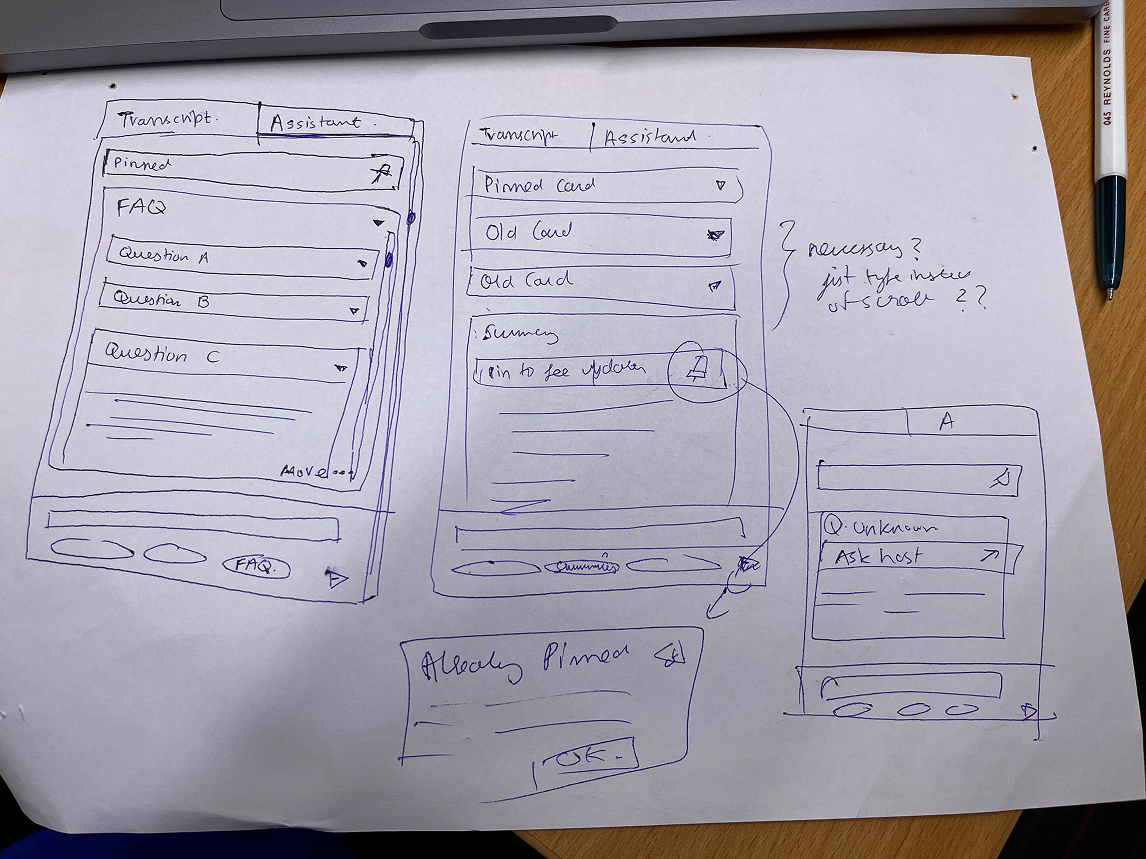
In the first conceptualisation stage, I explored how the AI Assistant should coexist structurally with the Transcript, testing tab-based hierarchies, live vs on-demand states, expandable menus, pinned interactions, and suggested question patterns to define the right mental model. The focus was not on visual polish, but on interaction logic:
Should the assistant behave like chat or structured cards?
Should summaries auto-update or require intent?
How do topics, FAQs, and user questions surface without overwhelming the user?
Through multiple tab variants, live-state behaviours, and pin explorations, this phase clarified the assistant as a modular, context-aware layer—separate from chat, structured around cards, and designed to prioritise clarity, control, and cognitive ease.
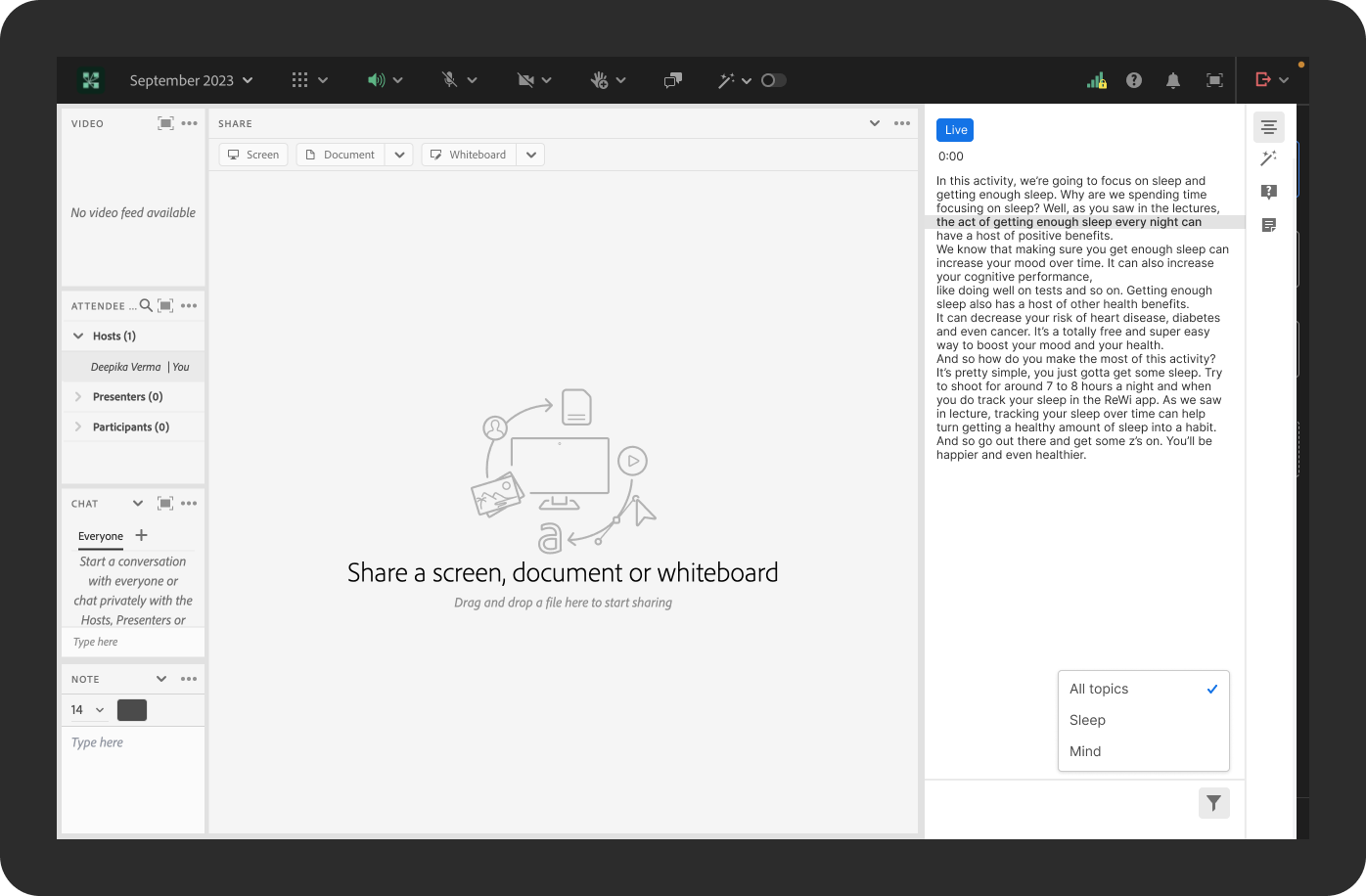
1. Icon strip
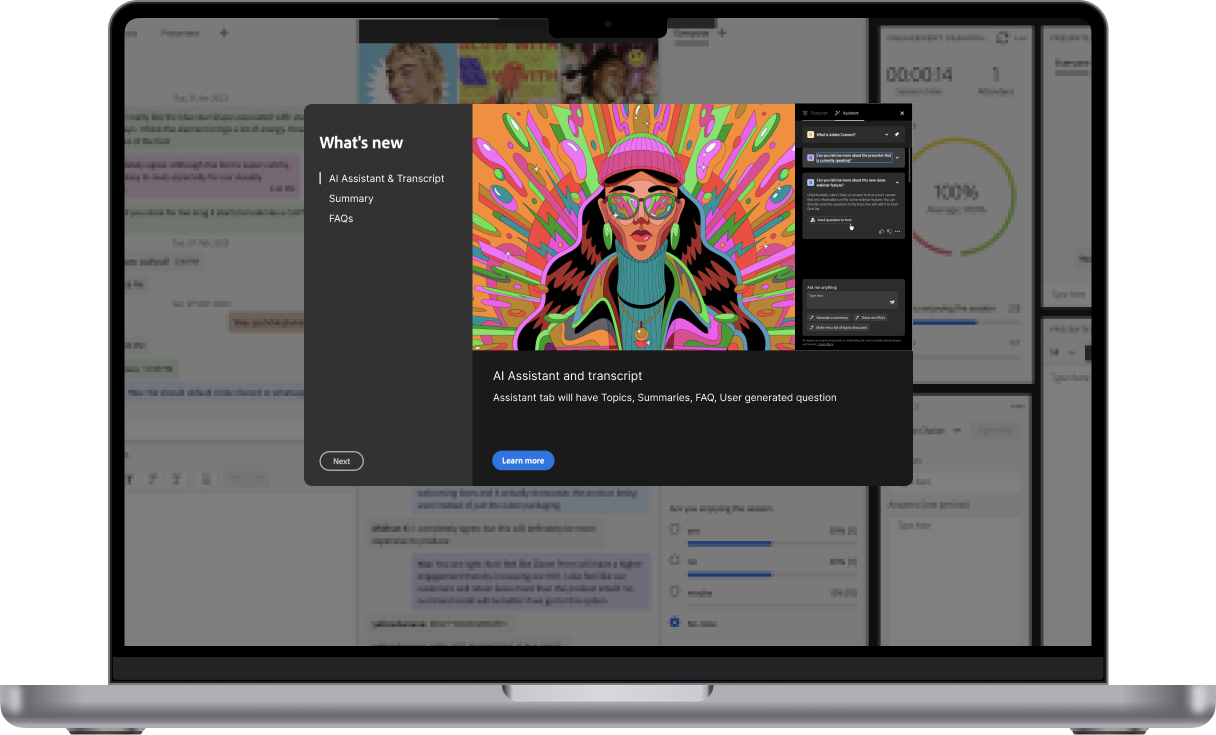
AI features are accessed through a vertical icon strip on the far right edge of the panel. This keeps the transcript area fully uninterrupted. The active state is shown through a blue highlight.
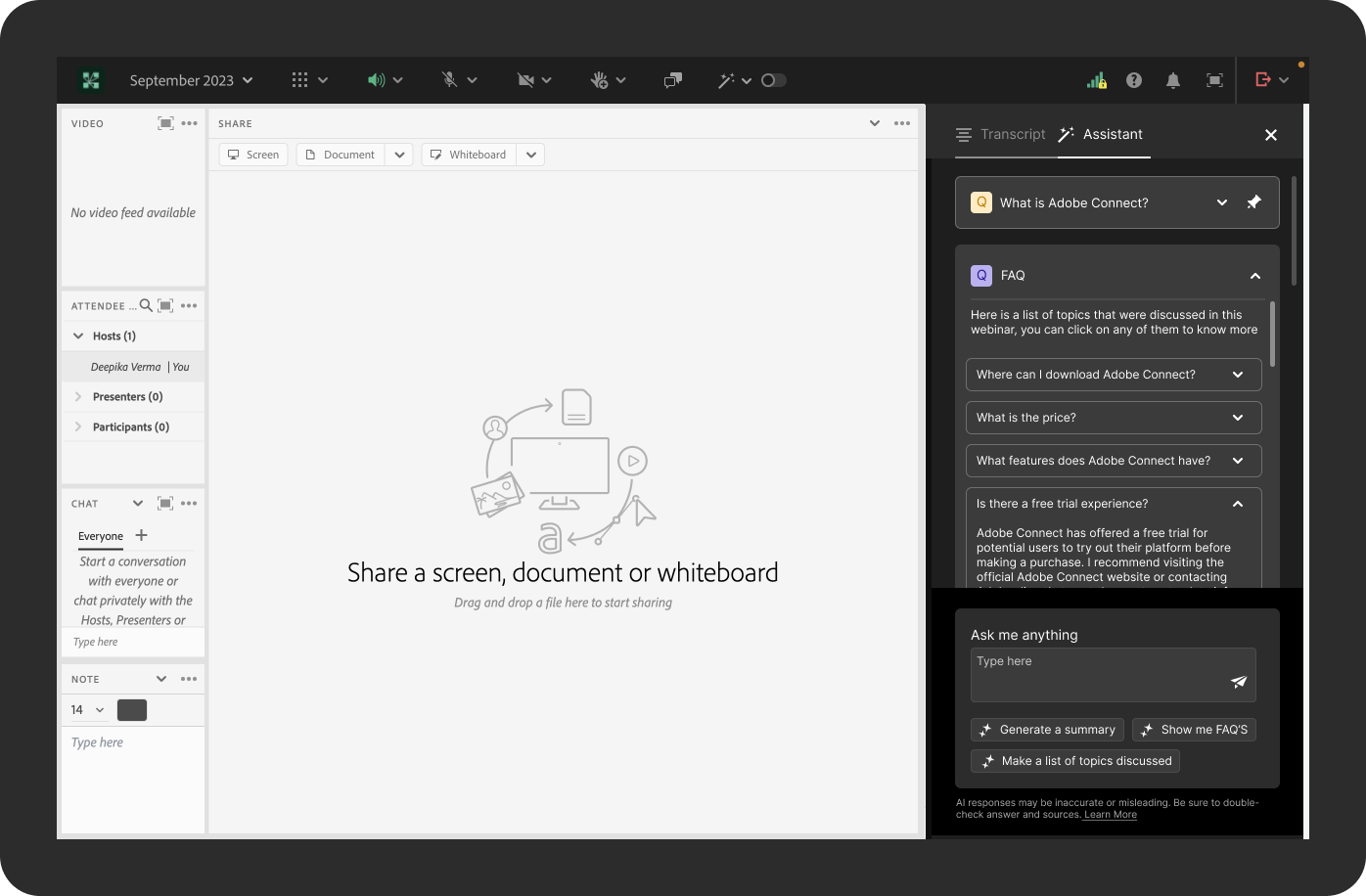
2.Two-tab structure
AI features are condensed into two tabs: Transcript and Assistant.
Rather than splitting FAQs, Summaries, and user questions into separate tabs, everything lives inside the Assistant tab as stackable answer cards. A pinned question sits at the top, the FAQ card expands below it, and the input area with suggested prompts anchors the bottom. This keeps the attendee's navigation decisions to a minimum one tab to follow the session, one tab to interact with it.
The two-tab model reflects a core constraint of the live context: cognitive load is already high. Fewer tabs mean fewer interruptions.
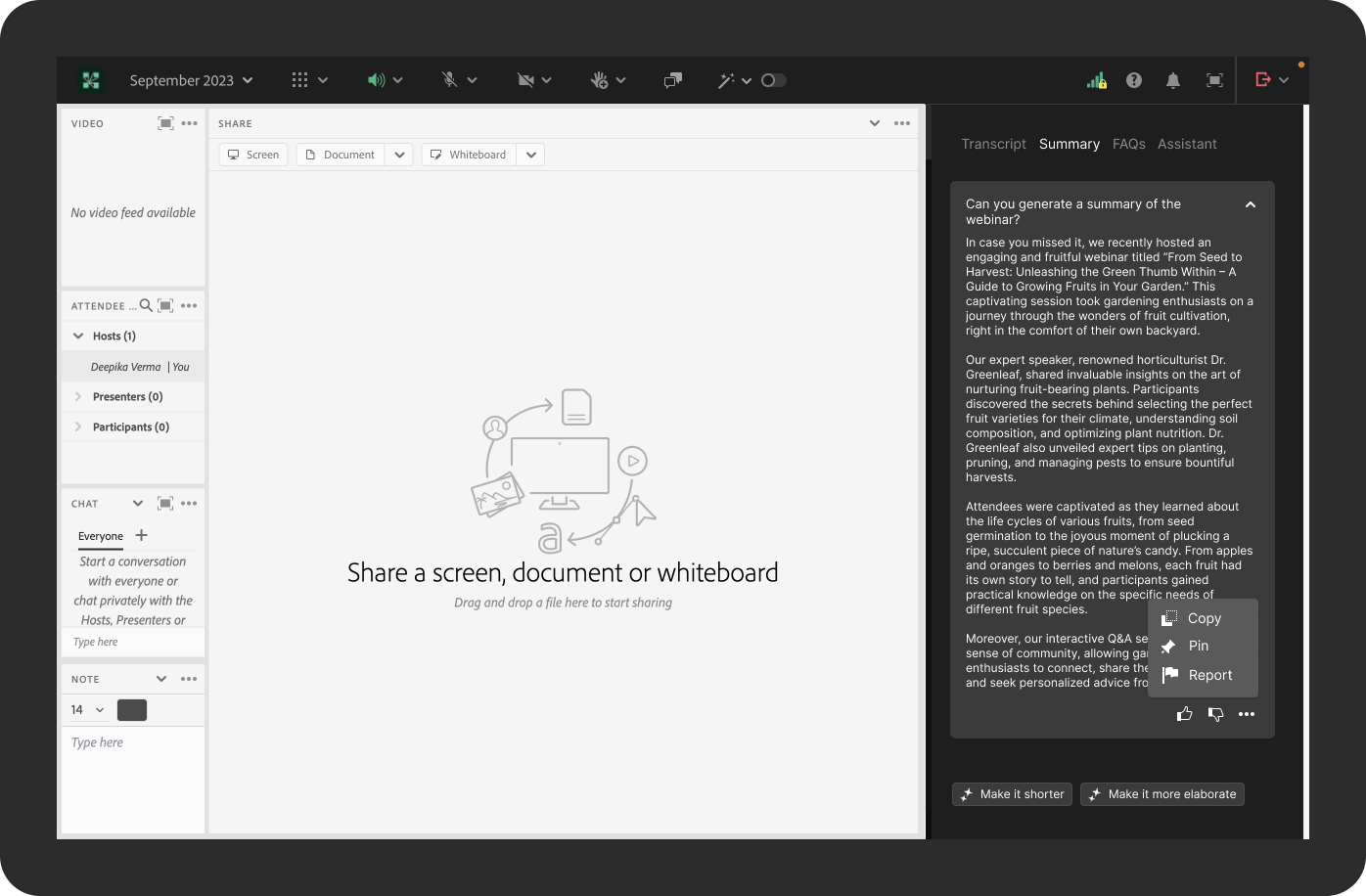
3. Four-tab structure
The navigation expands to four dedicated tabs: Transcript, Summary, FAQs, and Assistant. Each AI feature has its own space, making the content easier to find and the panel less cluttered than the two-tab model.
However, this structure has two significant limitations.
Localisation: Text-based tabs with descriptive labels such as "Summary" and "Assistant", require translation into every supported language. Tab widths vary with text length, which breaks the layout in longer languages like German or Japanese.
Scalability: Every new AI feature would need its own tab. As the product evolves, the tab bar becomes overcrowded with no clear hierarchy or room to grow without a structural redesign.
The four-tab model worked well as a clear, readable solution for English, but it wasn't built to last.
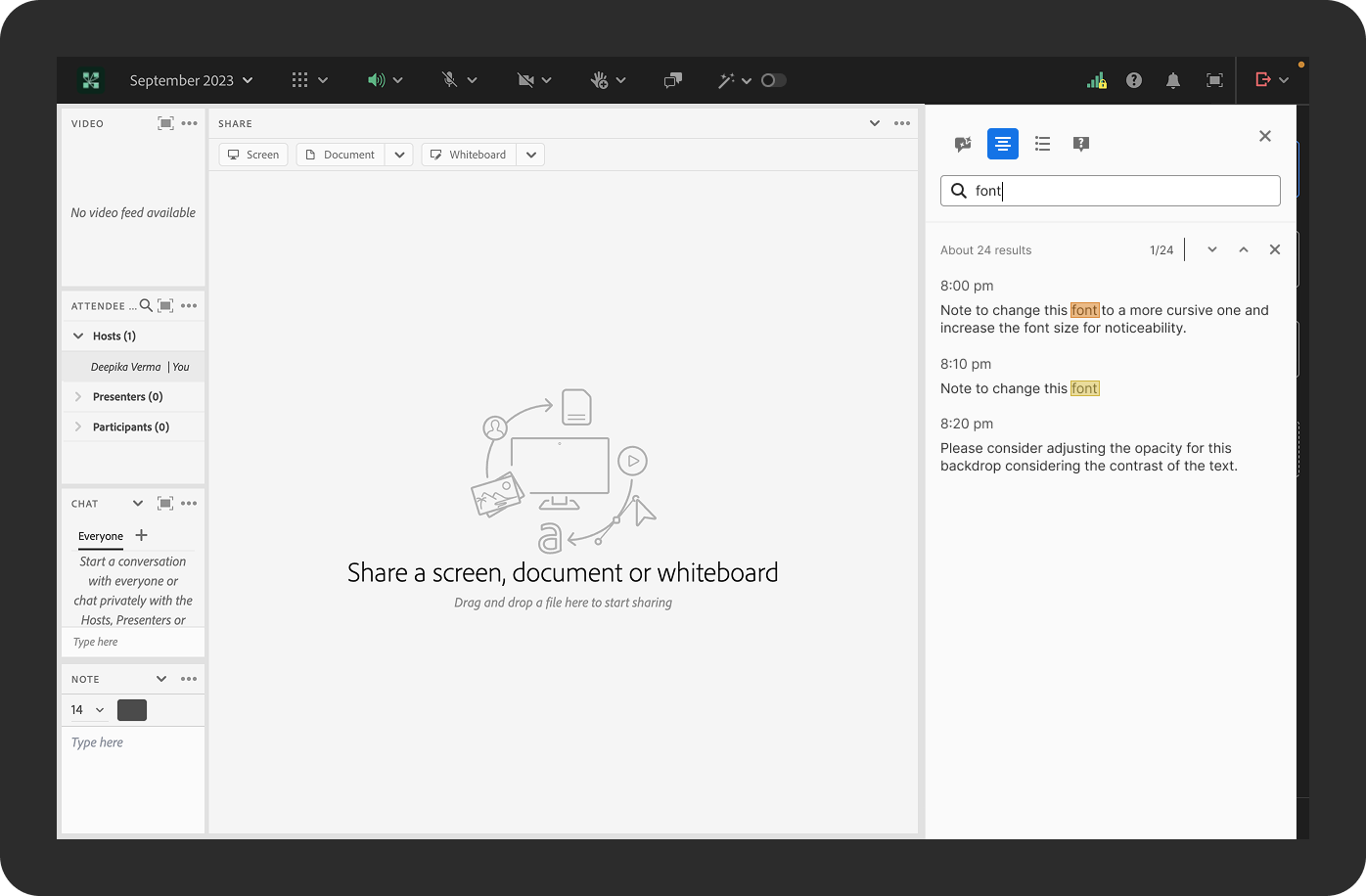
4. Icon tabs
Icon-only tabs at the very top of the panel with no labels, used specifically for the transcript search view. Here, the icons serve more as mode switchers (transcript view, list view, FAQ view, notes view) than as navigation tabs, keeping the search bar and results as the dominant focus of the panel.
Proactive AI, auto-summaries, unprompted topic surfacing

User-triggered generation — every output is requested, not pushed
Conversational chat interface
Structured, card-based answers — scannable, not threaded
4 tabs — Transcript, Summary, FAQs, Assistant
2 tabs — Transcript & Summary, Questions
Usability Heuristics
Recognition over recall
Card-based summaries are easier to scan than remembering previous chat messages.
1
User control & freedom
AI generates only when requested instead of interrupting users.
2
Aesthetic & minimalist design
Two tabs reduce visual complexity compared to four.
3
Consistency
Similar interaction model across live and recorded sessions.
4
Visibility of system status
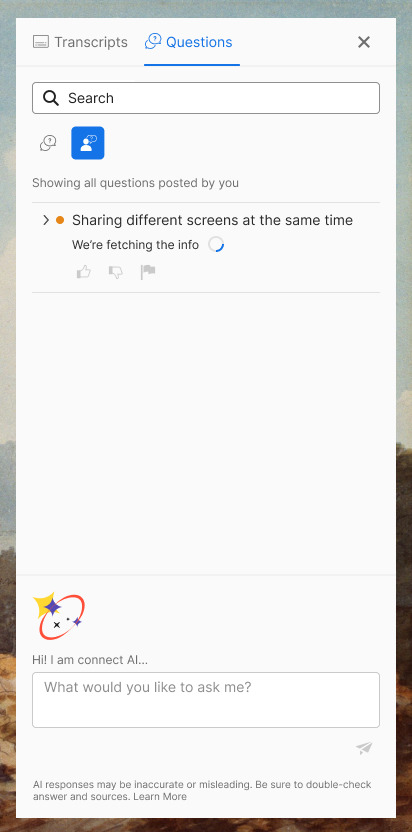
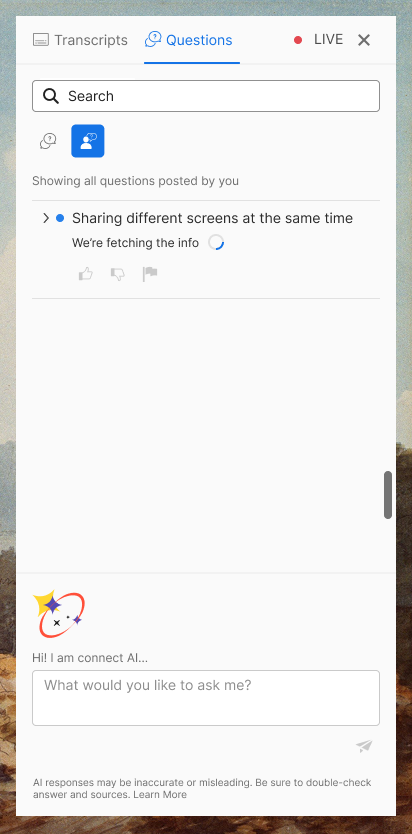
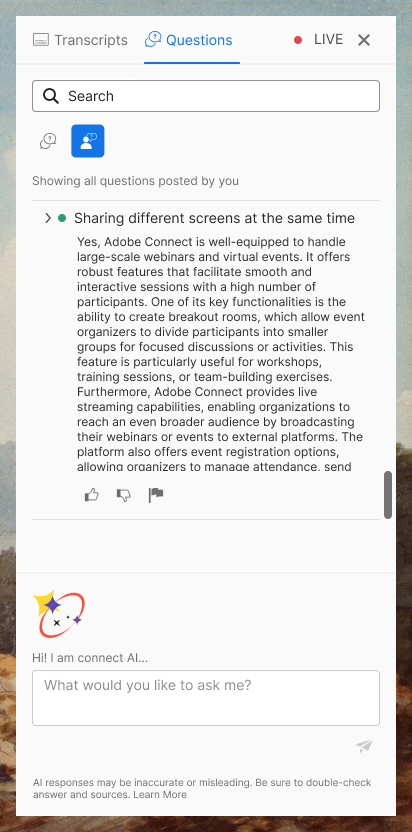
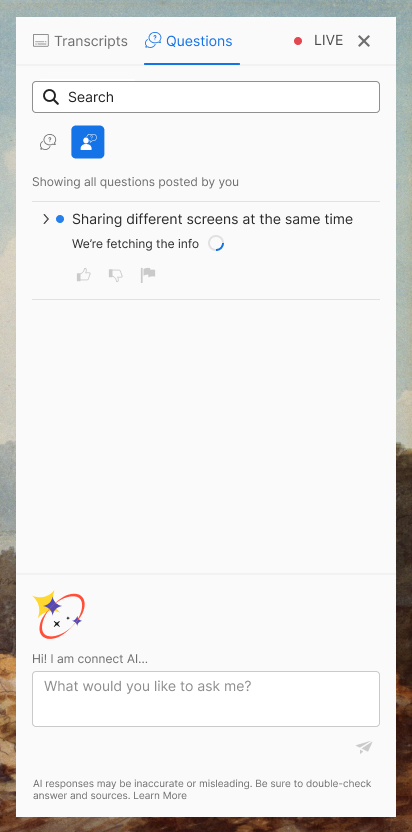
Generated answers clearly appear as cards with loading states.
5
The Solution
A lightweight intelligence layer, not a second product
The final concept for Connect AI Assistant: it organises all capabilities into two tabs. Fewer entry points meant fewer decisions, which mattered most in live sessions where attention is already split between the assistant and the session itself.
TAB 1
Transcript & Summary
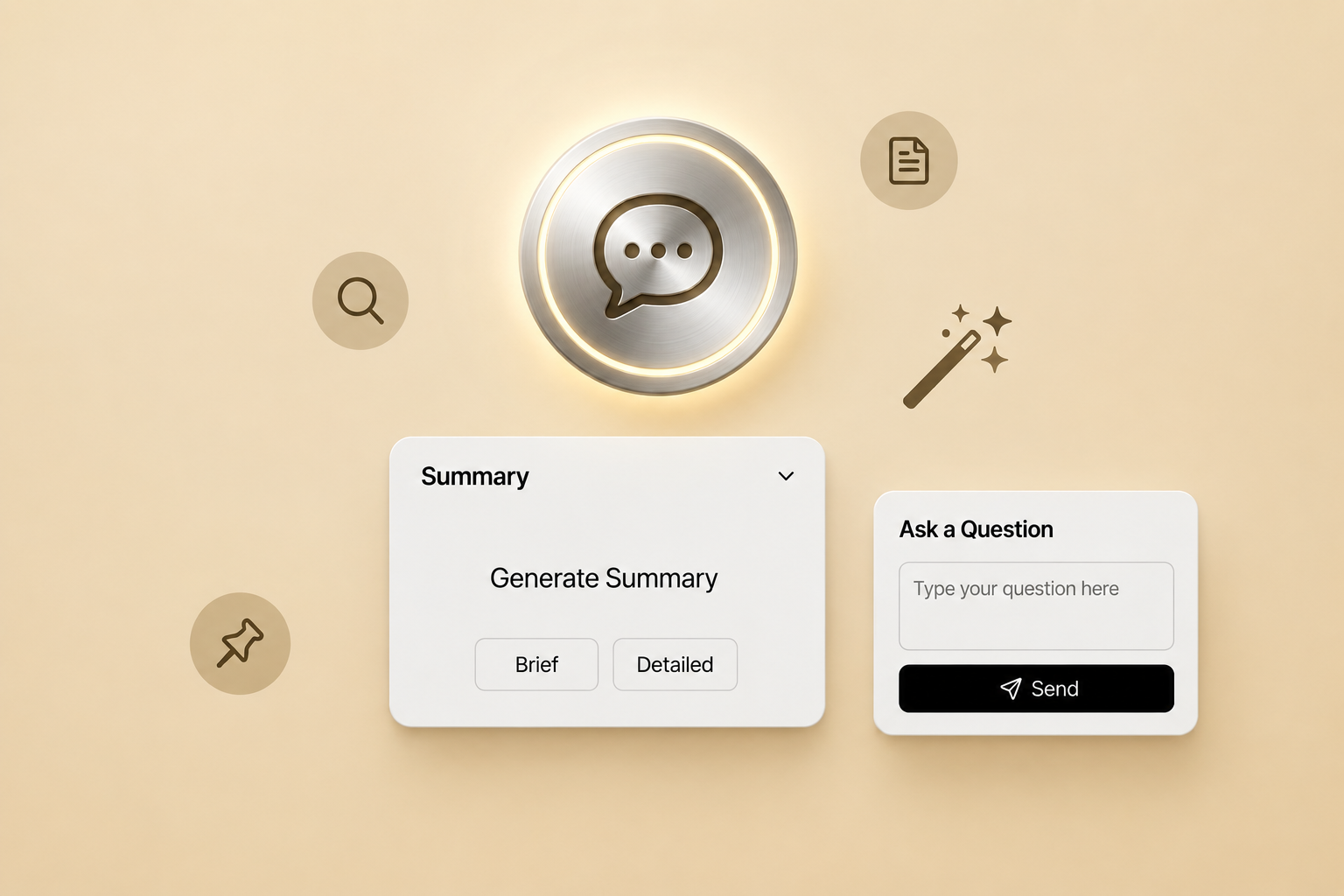
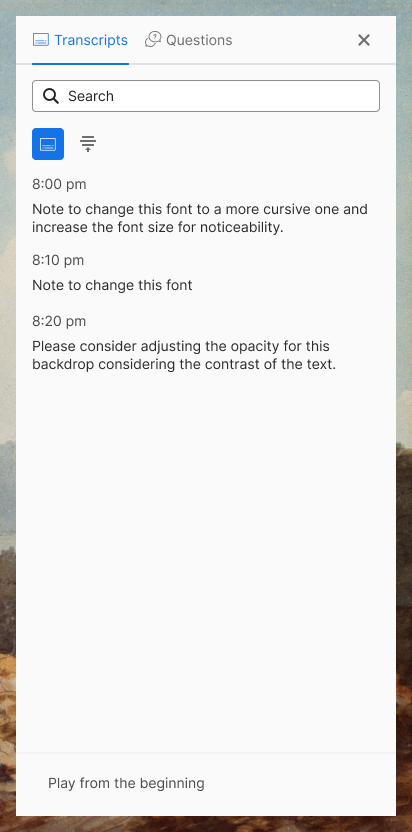
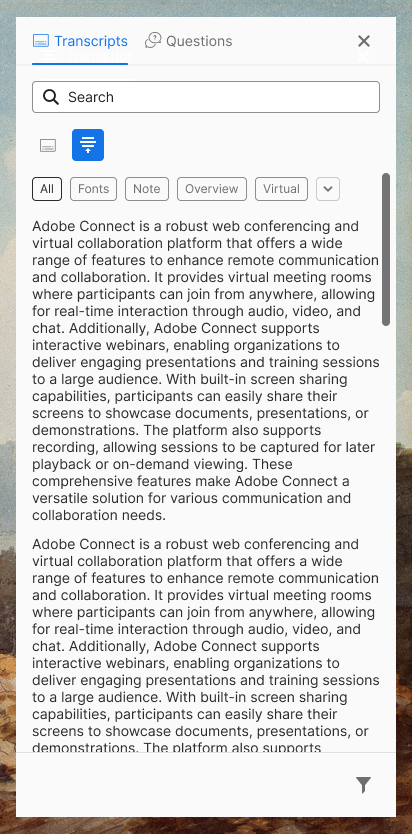
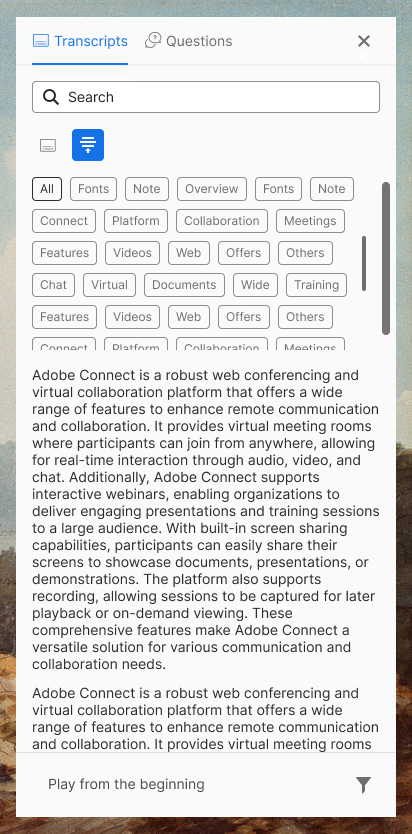
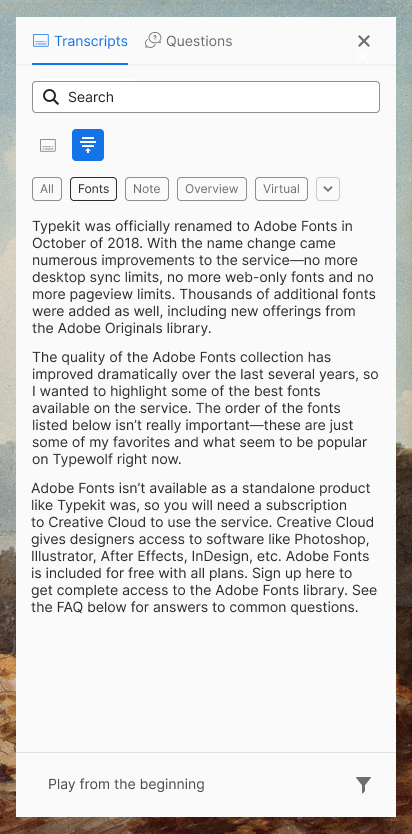
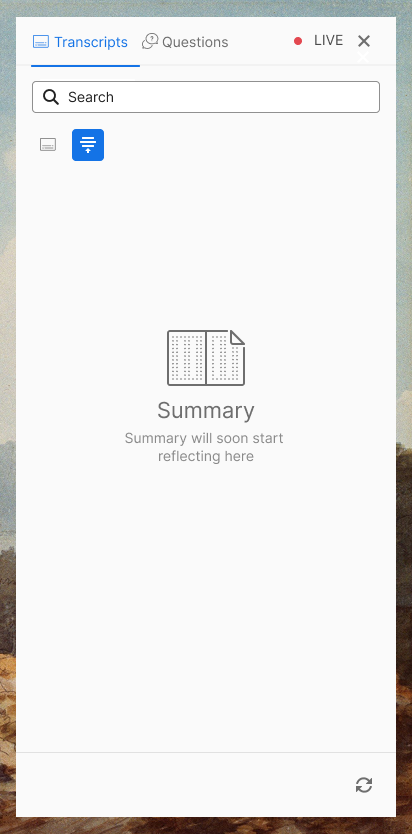
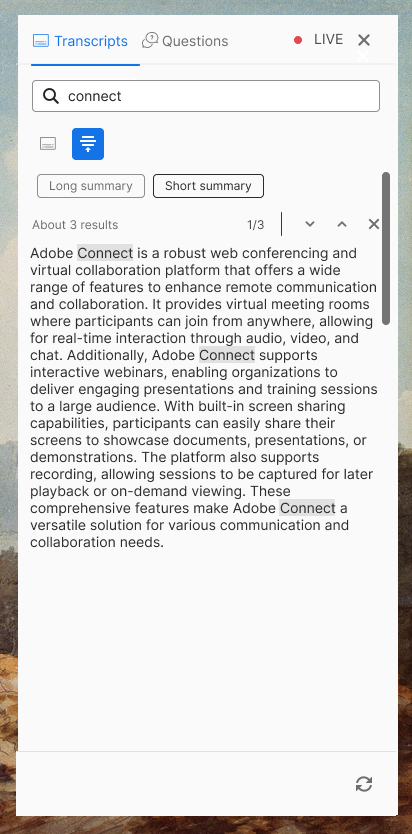
Toggle between the raw transcript and the AI summary. Topic filters narrow recorded sessions. Summary depth is user-controlled. Shorten, Elaborate, or Default and never auto-adjusted.
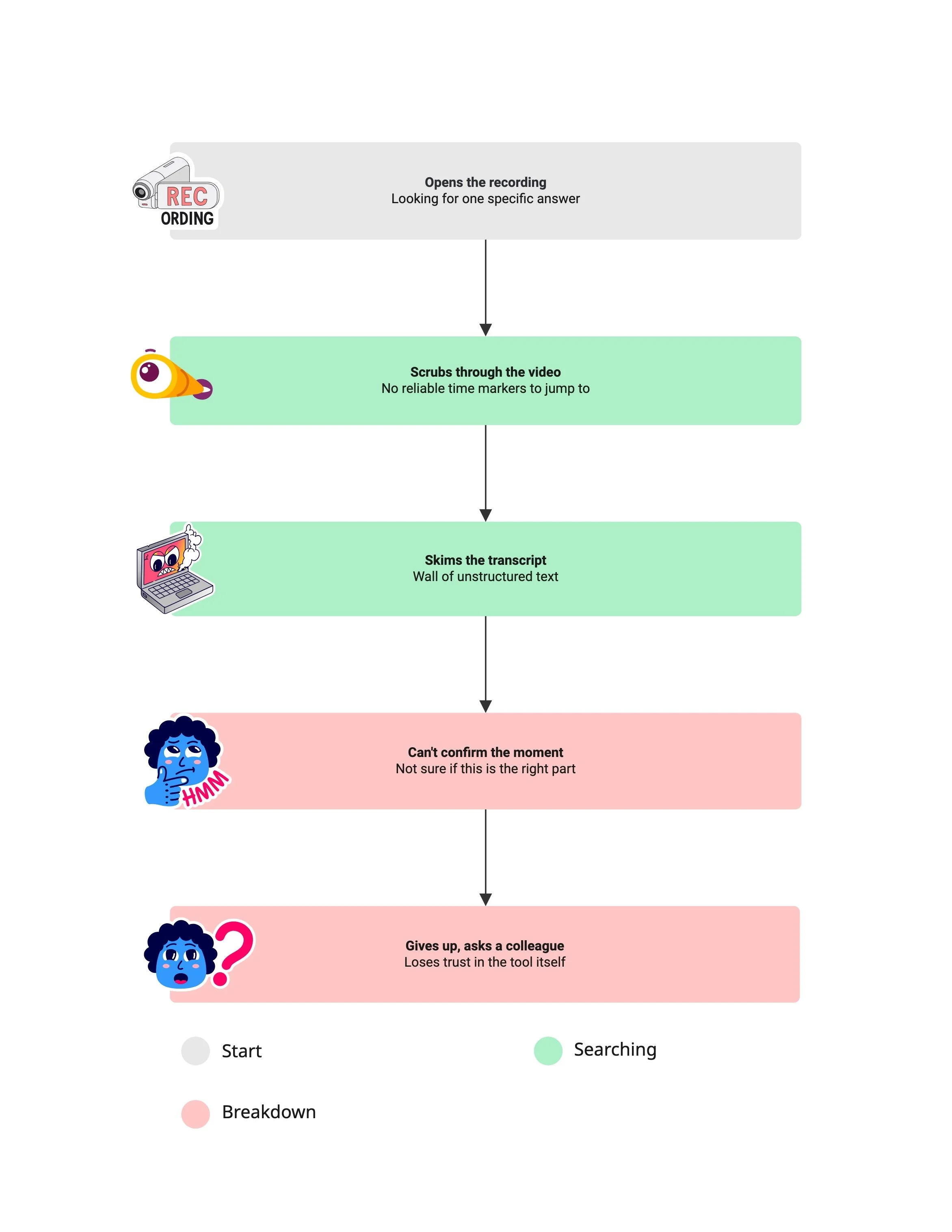
TAB 2
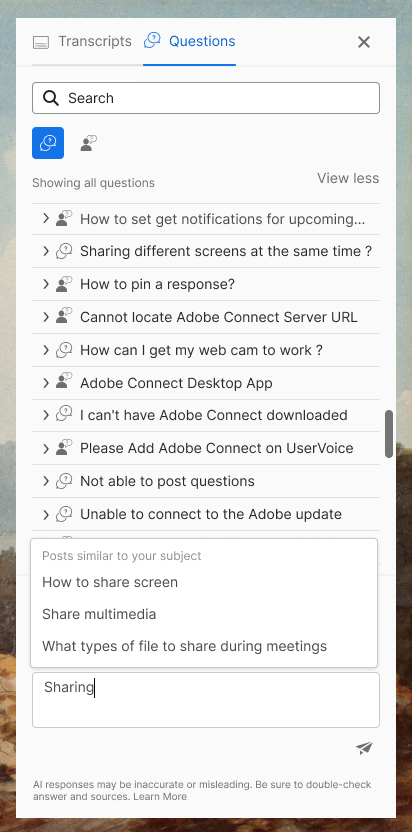
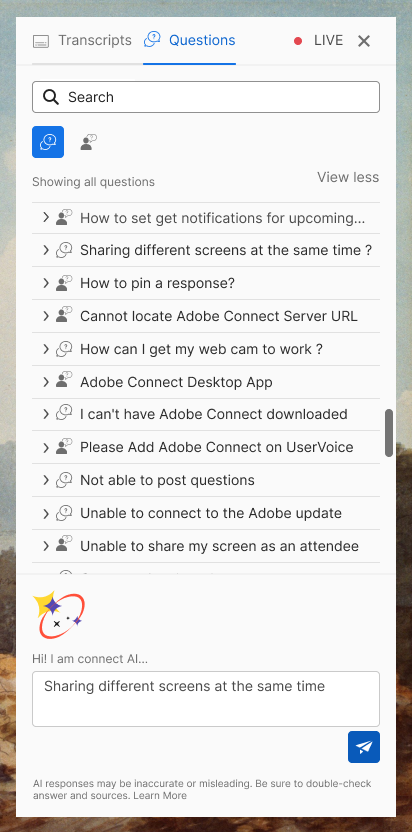
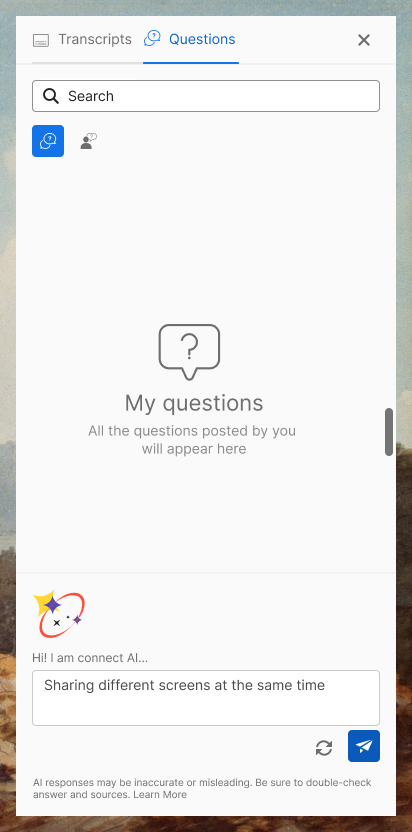
Questions
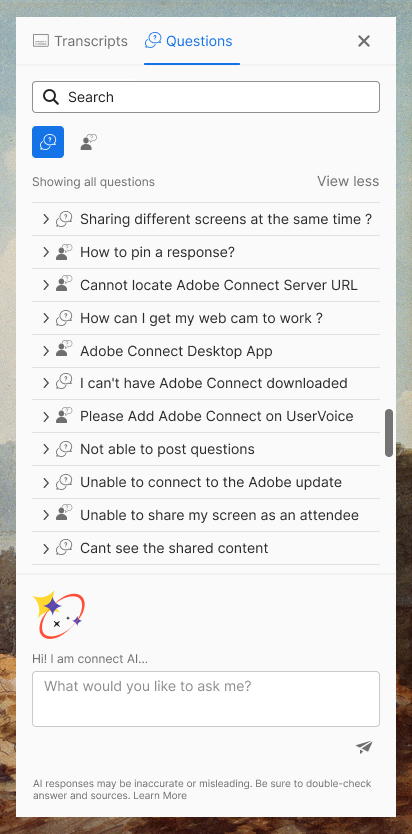
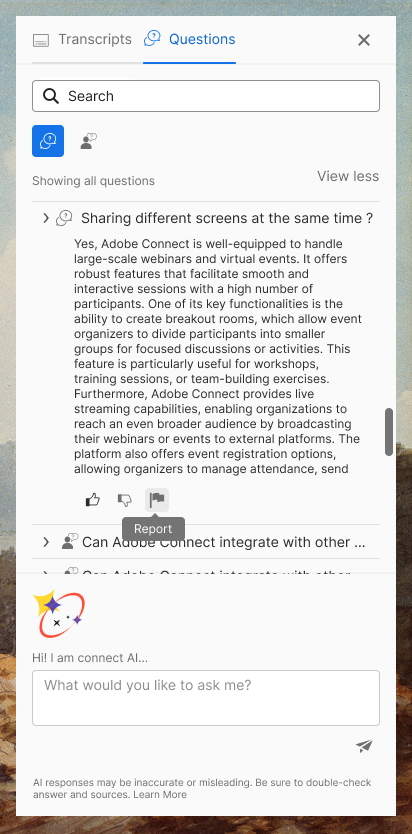
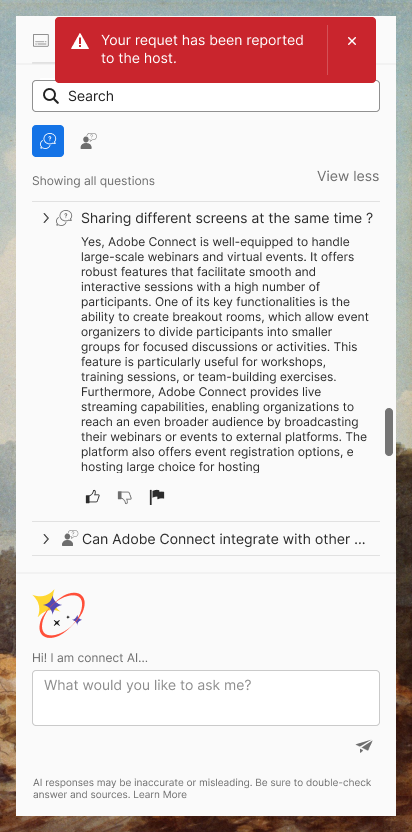
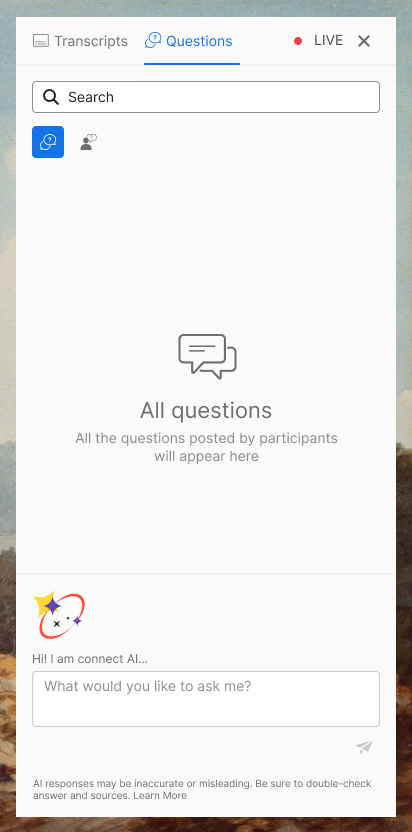
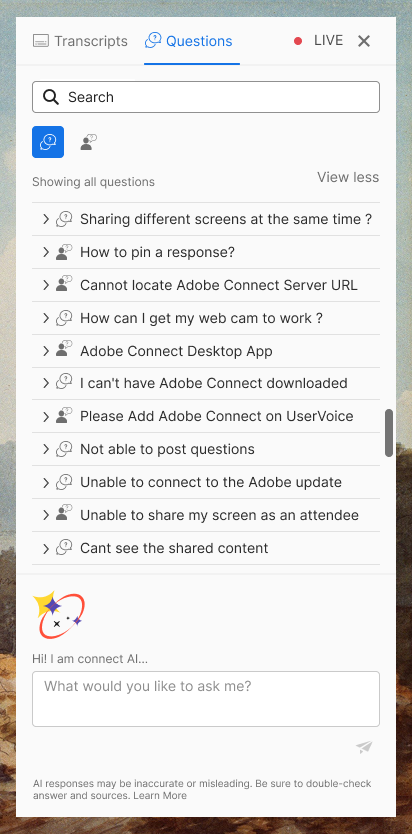
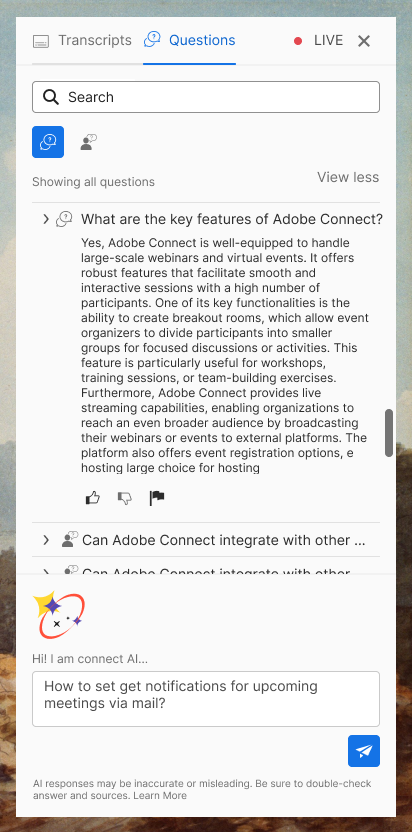
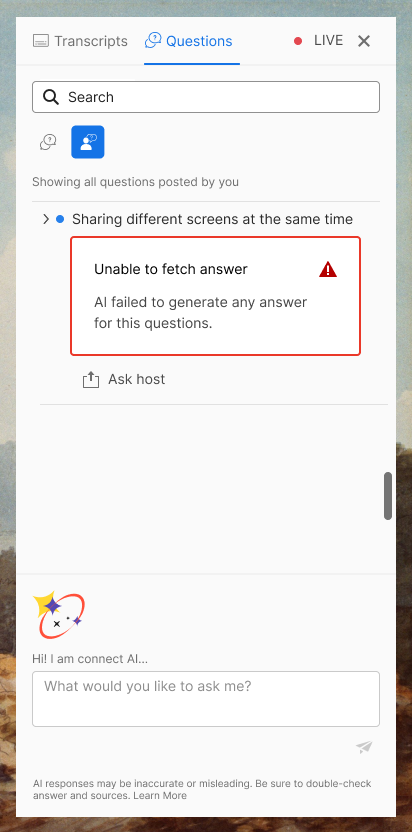
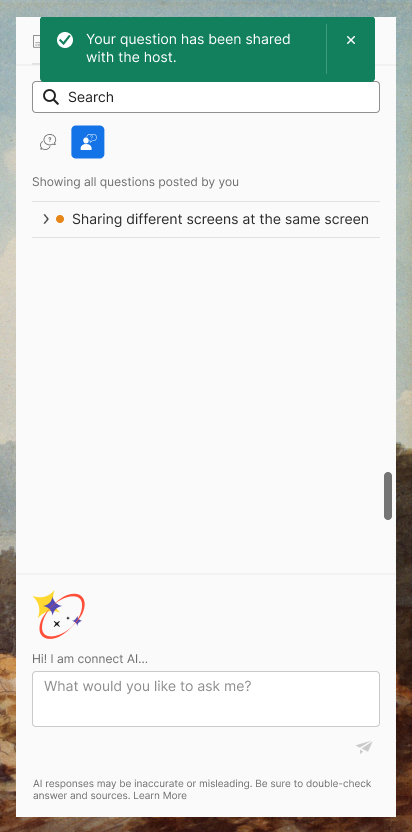
All Questions aggregates AI-suggested, FAQ, and host-broadcast questions. My Questions tracks the user's own. Every AI answer carries a visible indicator and a one-tap flag to host.
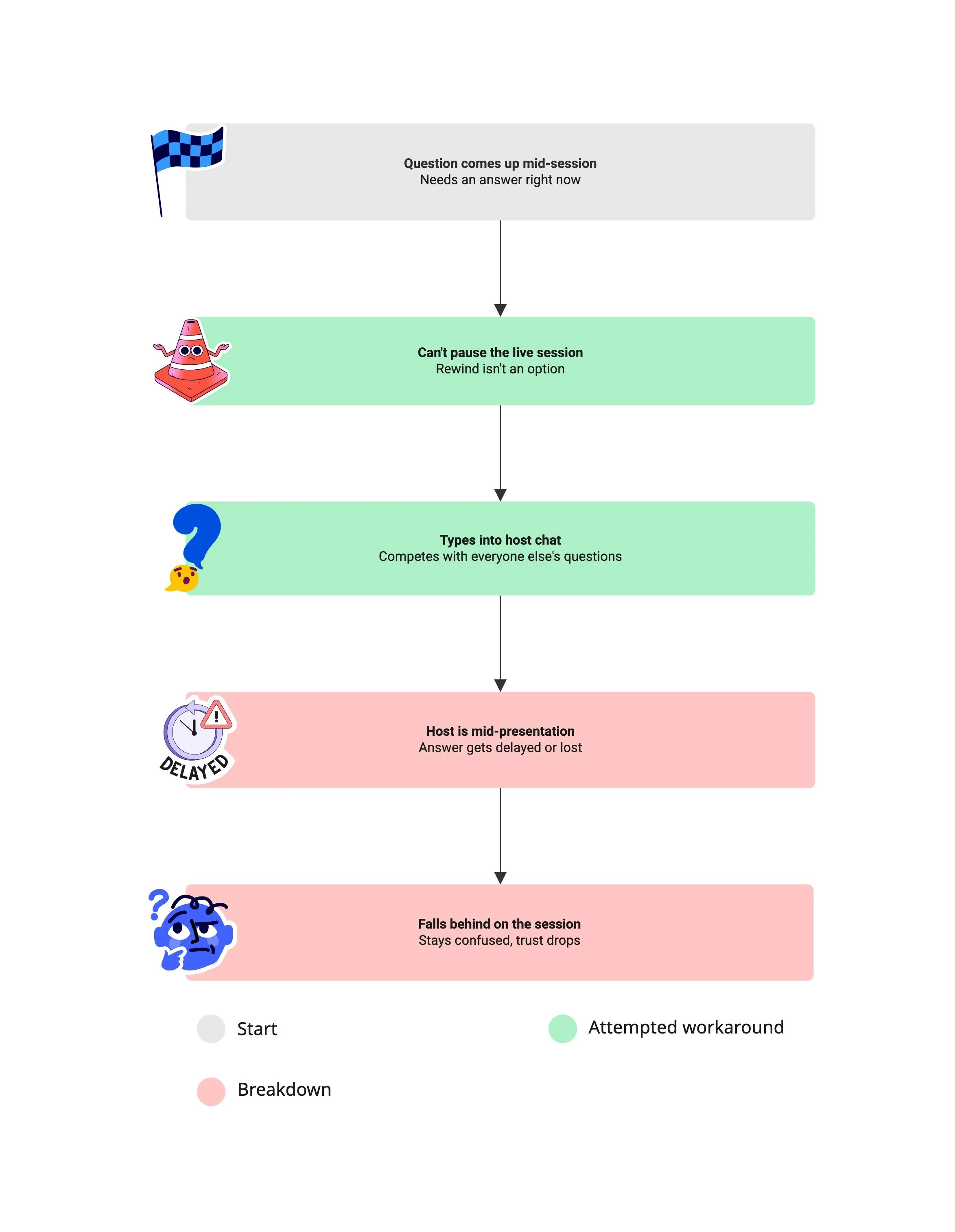
In live mode, real-time topic extraction was technically infeasible given model latency, so it was dropped rather than shipped half-working. The fallback: instant escalation to the human host for anything the assistant couldn't answer. A constraint became a trust signal.
On-demand behaviour
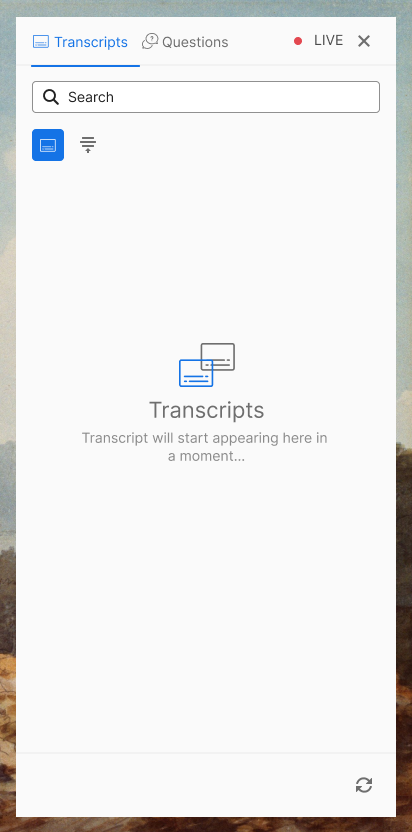
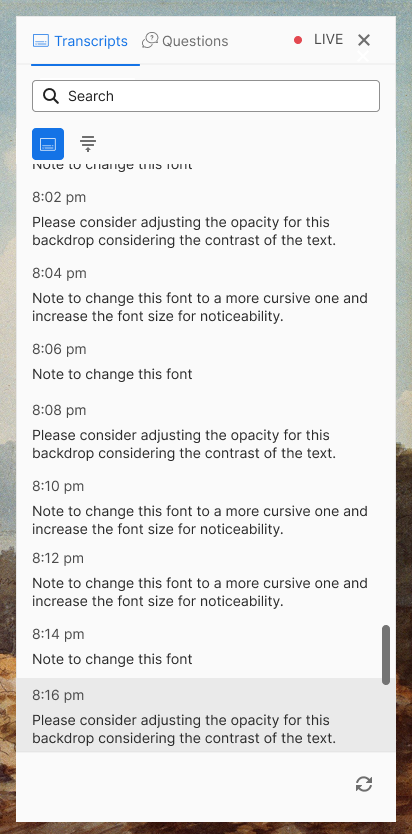
AI-powered on-demand assistant with two main tabs:
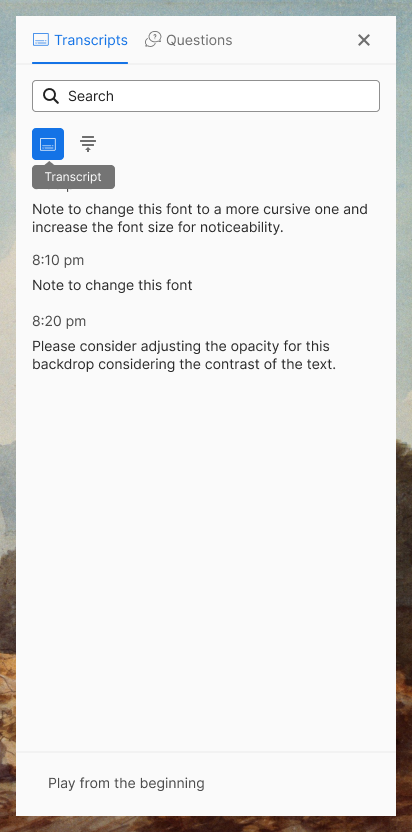
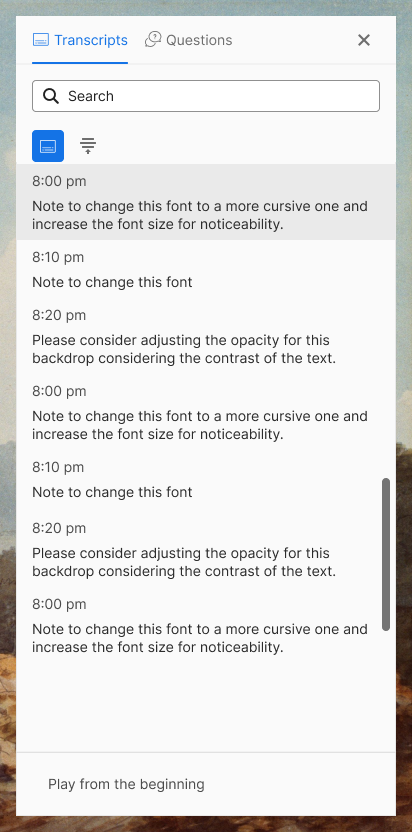
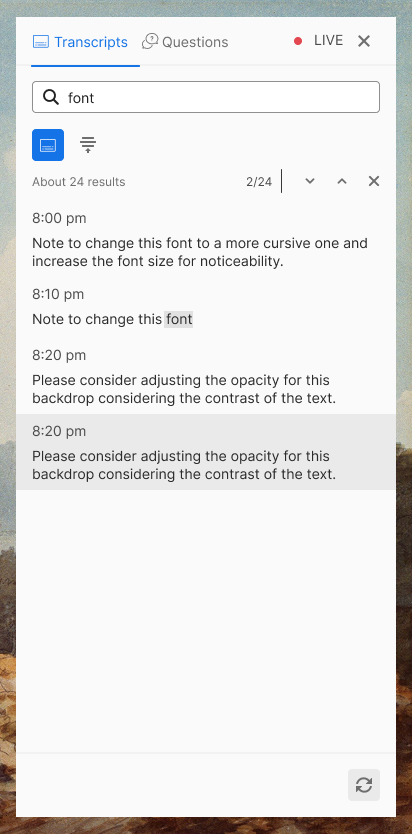
1. Transcripts (summaries & transcripts)
2. Questions (all questions and user-initiated questions) scoped as a feasibility POC.
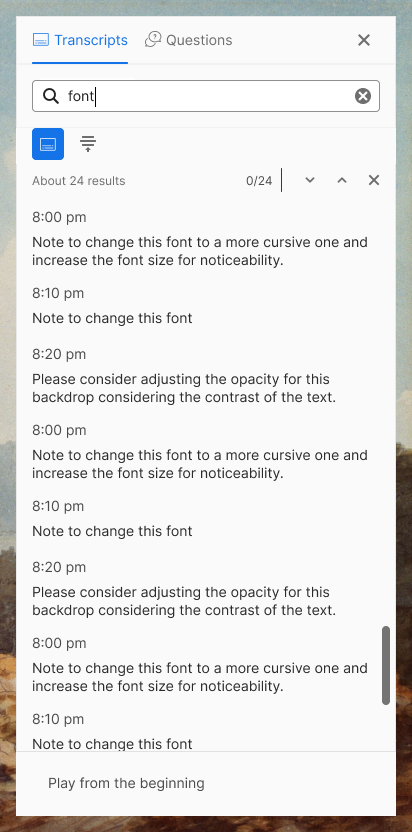
Users can search topics, ask AI questions freely, and optionally escalate to a human host for real-time support.
Live behaviour
The live AI assistant mirrors the on-demand experience, with the addition of upfront summary filters (long and short) replacing dynamic topic generation. Due to technical constraints, model latency and API-to-UI response delays, real-time topic extraction was not feasible within scope. As a fallback, users could instantly escalate any unanswered question directly to the human host.
Design Trade-offs
Structure over conversation
1
Lost conversational flexibility — gained scannability and predictable mental models for time-pressed users.
2 tabs over 4
2
Getting started is simple. Reach out through our contact form or schedule a call—we’ll walk you through the next steps and answer any questions along the way.
No live topic extraction
3
Lost a flagship "smart" feature — avoided shipping inaccurate AI output in a high-stakes live context.
Deferred advanced host tools, multi-pin, cross-card search
4
Kept the POC buildable and testable within a 5-weeks window — without compromising the core value loop.
Impact
Validated with the right people
Conducted a post-prototype walkthrough with internal stakeholders (PM), SMEs and the same power users involved in the original contextual inquiry, closing the loop between research and design rather than validating in a vacuum.
How it was tracked
Feedback was gathered qualitatively through moderated walkthrough sessions, observing reactions, hesitation points, and direct comments rather than through quantitative usability metrics, since the feature hadn't moved to build.
Direct resolution of the root-cause finding
The walkthrough specifically tested whether the design addressed the trust and control issues identified in discovery; power users confirmed that the panel structure felt more intuitive to navigate and gave them greater control over AI interactions.
Resulting decision
The validated design was prioritised for the next build phase, with the new interaction model adopted as the implementation direction for the AI Assistant Panel.
What I'd measure next
Would define post-launch success metrics to validate the feature at scale, including AI adoption, task completion time, support ticket volume, and user-reported confidence, each directly tied to the friction points the feature was designed to address.
The Takeaway
Good AI design is restraint, not capability. The hardest calls weren't about what the assistant could do; they were about what it shouldn't: stay silent, wait for a prompt, skip a "smart" feature that would cost more trust than it earned. Transcripts, summaries, and questions worked together because they were designed as one system from the start, shaped by direct observation of where people actually got stuck.
What I'd do differently next time
Confirm technical constraints directly with engineering
I designed around response latency as a known constraint, based on team conversations. Next time, I'd get that number directly from engineering early, so the constraint is precise rather than directional.
Expand contextual research before locking the direction
Two contextual inquiry sessions surfaced a clear, specific pattern fast, which is exactly what targeted research is for. I'd still want a few more sessions before scaling the direction, simply to stress-test the pattern across more contexts.
Run structured usability testing on the working demo
In hindsight, I'd have run structured usability testing on the prototype itself, same tasks, same rubric, across a small group, rather than an open walkthrough. That would've given me defensible metrics before any shipping decision, not just directional confidence.
Beyond POC
Not built; this is how I'd extend the thinking with more scope
The POC covers one meeting; the more interesting question is what happens before someone joins and after they watch it back
Neither is a new mode: it's live and on-demand, the same two interfaces, placed on a timeline
What's actually new lives outside the panel entirely:
A flagged question gets resolved and sent back to the attendee, not just archived
Recurring questions fold into the FAQ library, so the next session starts from a richer base
Each session's aftermath quietly improves the next session's starting point
Host uploads the agenda or slides ahead of time; the AI pre-seeds likely topics so on-demand topic extraction isn't starting from a blank page the moment the session ends.
Attendees can submit questions in advance, which feeds the host-prepopulated question source already scoped in the brief.
For recurring sessions, attendees get a short primer: what was covered last time, what's new this time.
Before
This is the panel already designed in the POC: transcript, catch-up summary, bounded Q&A, flag to host.
One addition: the host sees a private, aggregate view of which questions are recurring across attendees right now, which is what actually justifies the host-broadcast mechanic already in the brief.
During (live mode)
Opening the recording later uses the on-demand assistant already designed: full transcript, summary, topics. No new interface here.
Outside the panel: anything flagged to the host during the live session gets answered post-session and delivered back to the specific attendee who flagged it, not just archived.
Also outside the panel: whatever came up repeatedly in the session gets folded into the FAQ and topic library, so the next before phase starts from something richer than a blank page.
After (on-demand mode)